Make a 3D game with AI: an agent builds a playable island from free assets
Give an AI coding agent a library of free CC0 3D models and it can build a game you can play. How Claude found a level kit, a knight and a sky through the 3D Valley MCP server, and the code it wrote.
5 November 2026 · 7 min read
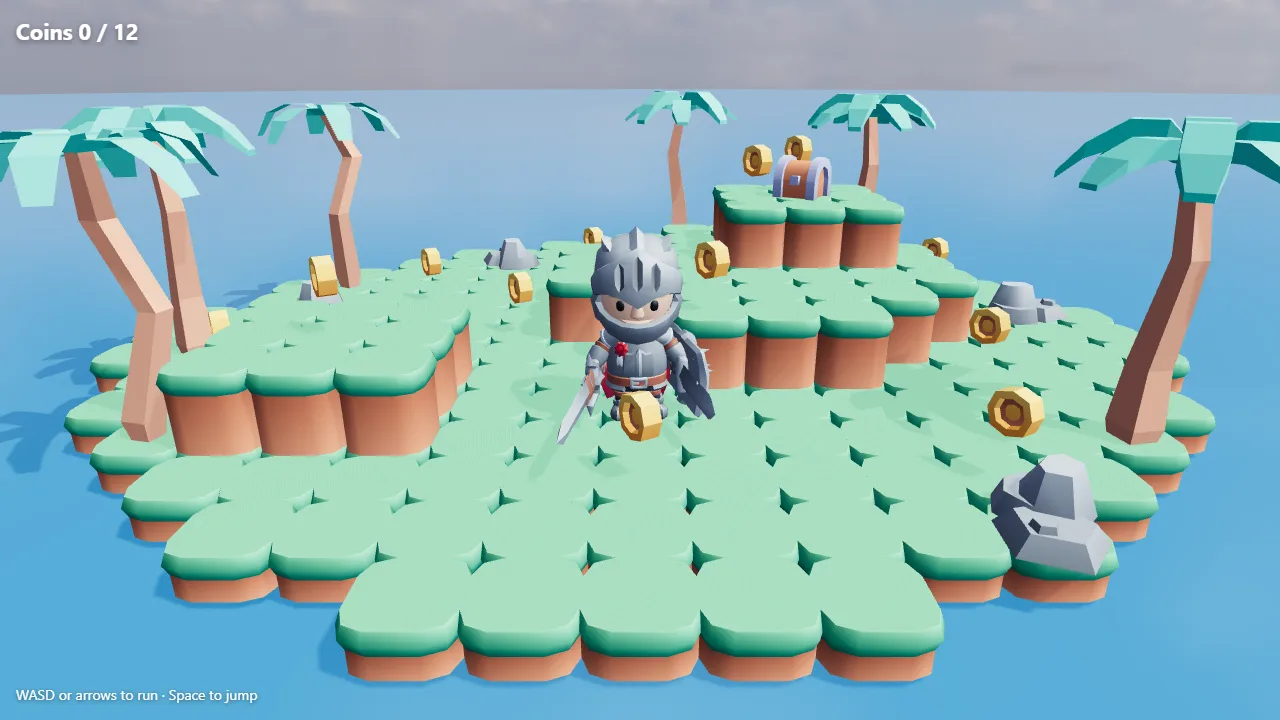
An AI agent can write the code of a small game in minutes. What it cannot do on its own is draw the island, the hero and the coins. Ask it anyway and you get grey boxes, or a model it invents that does not exist. Give it a library to search and it picks real, finished models, made to fit together, and the game looks like a game from the first run.
This is Coin Island, built that way. Run with WASD or the arrows, jump with Space, find the twelve coins. Every model in it, the island, the knight, the palms, the rocks, the chest and the coins, and the sky that lights it, comes from the free CC0 library on 3D Valley, found by an agent through the MCP server. The game itself is about 200 lines of three.js.
Connect the library to your agent
The agent needs a way to search for models, so the first step is the MCP server. In Claude Code it is one line:
claude mcp add --transport http 3dvalley https://3dvalley.com/mcp
The first time it is used, a browser window asks you to sign in to a free account; there is no key to paste. Claude Desktop, ChatGPT, Cursor and VS Code connect the same way, step by step on the MCP server page. Searching and downloading the library is free. If your agent cannot speak MCP, the same search is a plain REST API with a free key.
Describe the game
The prompt says what to build, what it should look like and where the assets come from:
Make a small 3D game in one HTML file with three.js: a low-poly island in the sea, a knight the player runs around with WASD and Space to jump, and gold coins to collect. Use only assets from the 3D Valley library: keep the island, coins and props from one kit so the style matches, use a rigged character with its own animations, and an HDRI for the sky. Load the files from their URLs.
The last sentences matter more than they look. Without them an agent mixes whatever it finds: a realistic barrel next to a cartoon tree, a coin the size of a car. Telling it to stay within one kit, and that every model has a real size, is what keeps the game coherent.
How the agent finds the assets
The agent's tool is search_assets. It searches by meaning, so "grass block platform" finds blocks even where the file is called something else, and it takes filters for the style, the size, the kit and whether a model is rigged. Here is what came back for the searches behind Coin Island, exactly as the tool returns them (five results each, trimmed to the lines that matter):
search_assets {"q":"grass block platform","type":"model","style":"lowpoly"}
202 found.
kn:platformer-kit.block-grass-corner · Block Grass Corner · strong match · 1.054×1×1.054 m · 84 tris
kn:platformer-kit.block-grass-low · Block Grass Low · strong match · 1.082×0.5×1.082 m · 92 tris
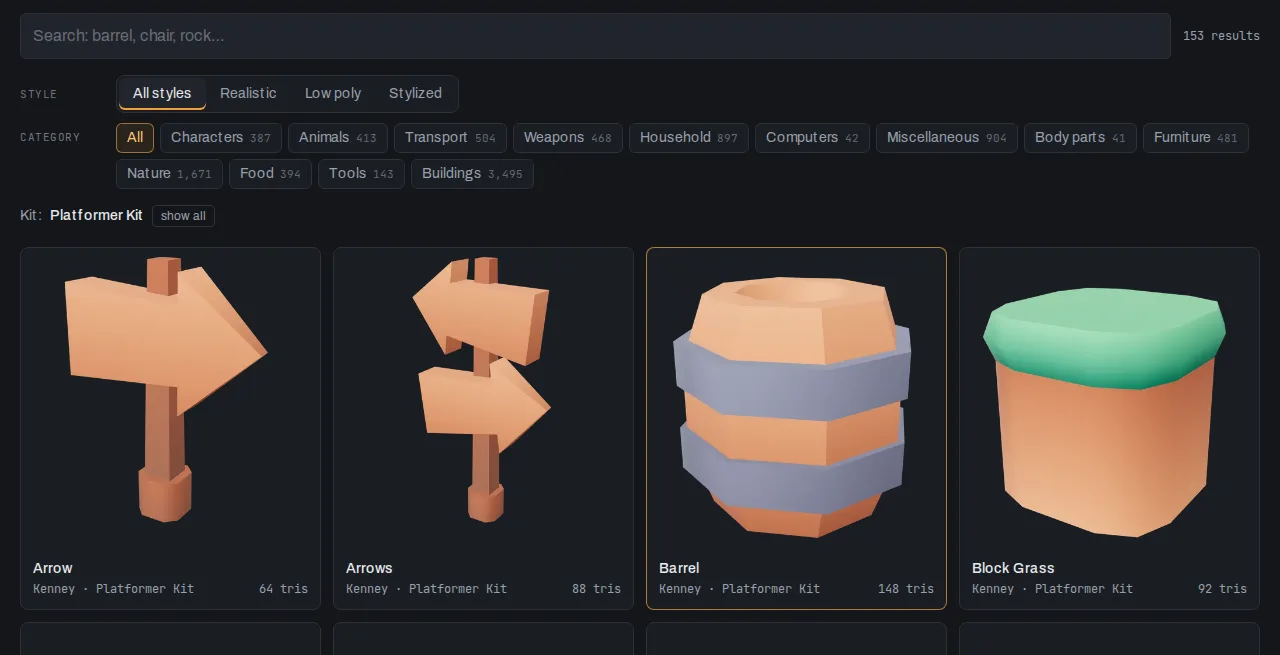
kn:platformer-kit.block-grass · Block Grass · strong match · 1.082×1×1.082 m · 92 tris
The first answer settles the style: Kenney's Platformer Kit. Every result carries a pack id, and from then on the agent prefers pieces from that kit. For the coins, the second result wins over the first because it shares the blocks' pack:
search_assets {"q":"gold coin","type":"model","max_size_m":"0.6"}
30 found.
kn:toy-car-kit.item-coin-gold · Item Coin Gold · strong match · 0.264×0.264×0.1 m · 92 tris
kn:platformer-kit.coin-gold · Coin Gold · strong match · 0.4×0.4×0.175 m · 124 tris
To stay strictly inside a kit, pass its id: search_assets {"q": "spikes", "pack": "kn:platformer-kit"} only searches the kit's 153 pieces. Two more things to notice. The sizes are in metres, measured from each file, so the agent knows a block is one metre and a coin 40 centimetres before it downloads anything; it can lay out a grid without guessing a scale. And max_size_m kept giant decorative coins out of the results. The same filter that keeps a coin small keeps a floor large: min_size_m: 2 is how you ask for a floor tile.
The hero has to move, so the search asks for a rigged model with animations:
search_assets {"q":"knight","type":"model","rigged":"true","animated":"true"}
15 found.
gk:human003.knightcaptain · Knight Captain · strong match · 1.24×1.75×1.785 m · 2,426 tris
qt:ultimatedanimatedcharacter.Knight_Male · Knight Male · strong match · 0.614×1.78×0.982 m · 2,992 tris
kk:character-pack-adventures.Knight · Knight · strong match · 2.689×2.467×2.577 m · 6,952 tris
The agent took KayKit's knight. It comes with 76 animations in the one file, from Idle and Running_A to Jump_Idle and over a dozen attacks. KayKit draws its characters large and chunky: this one stands about 2.5 metres in its own units, armour, plume and all, which reads well next to one-metre blocks. If you wanted a person-sized hero, the size is right there in the result, and one scale call fixes it.
The sky is an HDRI, a 360° photo that lights the scene as well as filling the background:
search_assets {"q":"partly cloudy sky","type":"hdri"}
281 found.
ph:kloofendal_38d_partly_cloudy_puresky · Kloofendal 38d Partly Cloudy (Pure Sky) · strong match · 2k
ph:kloofendal_48d_partly_cloudy_puresky · Kloofendal 48d Partly Cloudy (Pure Sky) · strong match · 2k
"Pure Sky" HDRIs from Poly Haven have no ground in them, which is what you want behind an island in the sea. You can browse all of them on the HDRI page.
When the library has nothing
Each result says how well it matches: strong, good or weak. Ask for something the library does not have, and it says so instead of handing over the nearest thing:
search_assets {"q":"glowing magic portal gate","type":"model"}
15 found.
kn:mini-dungeon.gate · Gate · good match · 0.8×0.75×0.2 m · 76 tris
kn:modular-dungeon-kit.gate-door · Gate Door · good match · 4.4×4.4×1.4 m · 984 tris
Gates, but nothing glowing or magic. When even the best answer is weak, the tool's reply tells the agent to use generate_model, which turns a description or a photo into a new textured model in about a minute. That one costs credits; the search does not.
The code: models from the CDN, sky from an HDRI
Every model is a GLB in metres, with +Y up and its origin at the base, the same for every source in the library. That convention is why the code below has no per-model fixes: put a model at the height of the ground and it stands on it.
import * as THREE from "three";
import { GLTFLoader } from "three/addons/loaders/GLTFLoader.js";
import { RGBELoader } from "three/addons/loaders/RGBELoader.js";

const LIB = "https://static.3dvalley.com";
const gltf = new GLTFLoader();
const [sky, block, coin, knight] = await Promise.all([
  new RGBELoader().loadAsync(`${LIB}/ph/kloofendal_48d_partly_cloudy_puresky/kloofendal_48d_partly_cloudy_puresky_1k.hdr`),
  gltf.loadAsync(`${LIB}/kn/platformer-kit.block-grass/block-grass.glb`),
  gltf.loadAsync(`${LIB}/kn/platformer-kit.coin-gold/coin-gold.glb`),
  gltf.loadAsync(`${LIB}/kk/character-pack-adventures.Knight/Knight.glb`),
]);

// One file lights the scene and fills the background.
sky.mapping = THREE.EquirectangularReflectionMapping;
scene.environment = sky;
scene.background = sky;
The download links come from the search results, or from get_asset, which also returns the texture maps, the credit line and short import notes for Godot, Unity, three.js and Blender. The files are served with open CORS, so a game can load them straight from the CDN while you prototype; copy them into your project before you ship.
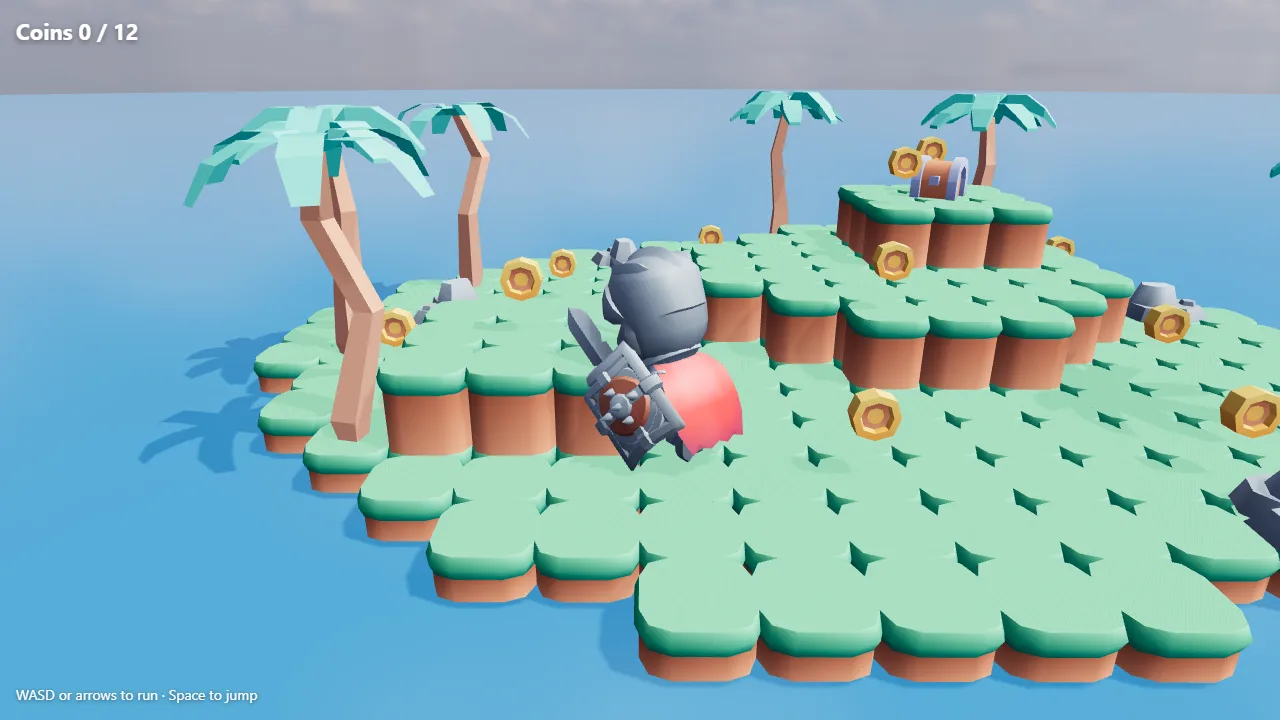
The island is a heightmap of one-metre blocks, two levels higher on a hill, and the knight's animations play through a mixer, switching between the clips the file came with:
const mixer = new THREE.AnimationMixer(player);
const clip = (name) => mixer.clipAction(THREE.AnimationClip.findByName(knight.animations, name));
const actions = { idle: clip("Idle"), run: clip("Running_A"), jump: clip("Jump_Idle") };
The rest is ordinary game code: read the keys, move the knight, apply gravity, stop at a step higher than half a block, spin the coins and count them when he touches one. The whole file is in the demo; view its source.
The next change
The first run is a start, not a finished game, and the loop from here is the same: describe the change, let the agent search, look at the result. A few that work well with this setup:
- More of the kit. "Add moving platforms and a spike trap from the same kit" keeps the look, because the agent searches with the kit's pack id.
- A different place. Swap the HDRI for a sunset or a night sky and the whole island is relit; nothing else changes.
- Something that does not exist. "A glowing portal on the hill that ends the level" has no match, so the agent generates it, then Reduce brings it down to a game's triangle budget.
- Another engine. The same GLB files import into Godot, Unity and Unreal; this guide covers the settings each one trips on.
Credits
Everything in the library is CC0: use it in a commercial game, change it, no attribution needed. If you want to credit the makers anyway, get_asset returns a ready credit line for each model. Coin Island uses Kenney's Platformer Kit and Nature Kit, KayKit's Adventurers and Medieval Hexagon packs, and Kloofendal 48d Partly Cloudy (Pure Sky) by Greg Zaal and Jarod Guest on Poly Haven.
More tutorials
24 September 2026 · 3 min
Image to 3D print: how to 3D print a picture
Turn a picture of an object into a sealed STL at the size you want, and know the filament cost and the printer it fits before you slice.
23 September 2026 · 3 min
How to fix an STL file that will not slice
Holes, flipped faces, loose fragments, overlapping parts: choose how far the repair goes, watch it run, and see every patch it made before you download.
22 September 2026 · 2 min
How to make a normal map from a photo
Turn a photo of a surface into normal, height, roughness and occlusion maps, read by AI on our GPU in seconds.