Free normal map generator, No sign-up required
A photo of a surface in, the maps a renderer needs out: normal, height, roughness and occlusion. AI reads the depth the right way round on a free GPU, and you set the strength afterwards.
- Free daily
- No account required
- On our server
Drop a photo of a surface
- JPG
- PNG
- WebP
- HEIC
Nothing is uploaded. The file stays on your device.
No photo? Try one:
When to use it
You have a texture, a photo of a wall, a scan or a tile from a pack, and the engine wants more than colour. The maps take about ten seconds on a free shared GPU and read the depth from the shapes, not from brightness, which is what painted bricks, tiles and stones need. Strength, occlusion and the normal convention are then set on the finished maps, with no further run.
The maps you get
The height comes from a model trained on textures and is saved as a 16-bit PNG; the normal map adds the broad shape a surface-normal model sees, and the roughness is set by what the material is. The occlusion map darkens the crevices the height map finds.
Starting from nothing, or the photo does not tile? The texture generator paints a flat, evenly lit surface from a description, or repaints a photo as one that tiles, on a shared GPU; “Adjust the maps” then brings the result and its maps here, to these controls.
Image to normal map, on a photo
One photo of a cobblestone street and three of the maps read from it. The stones stand out and the joints sink, which brightness alone gets wrong wherever a joint is lighter than the stone.
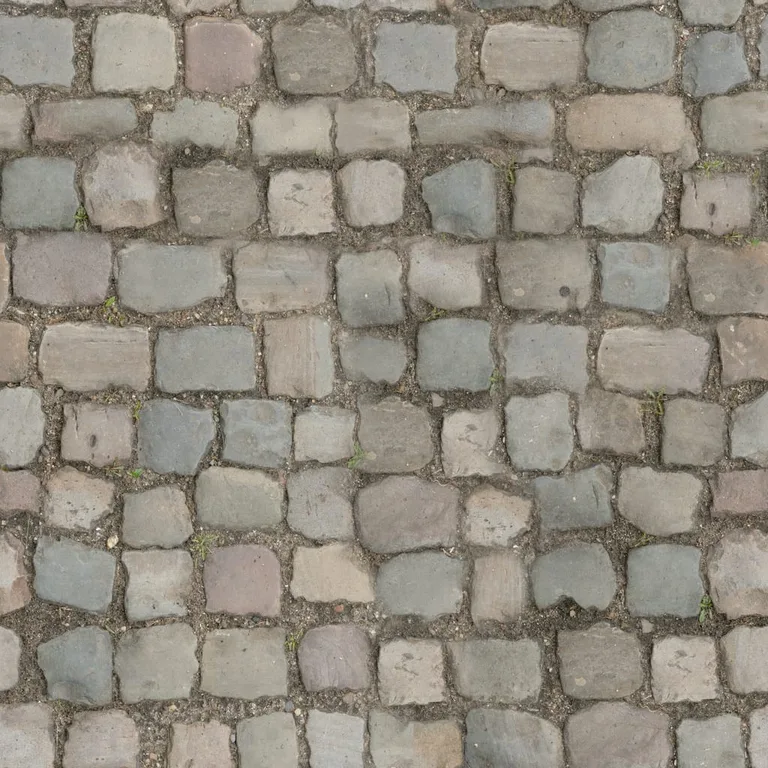
The photoone picture of a surface 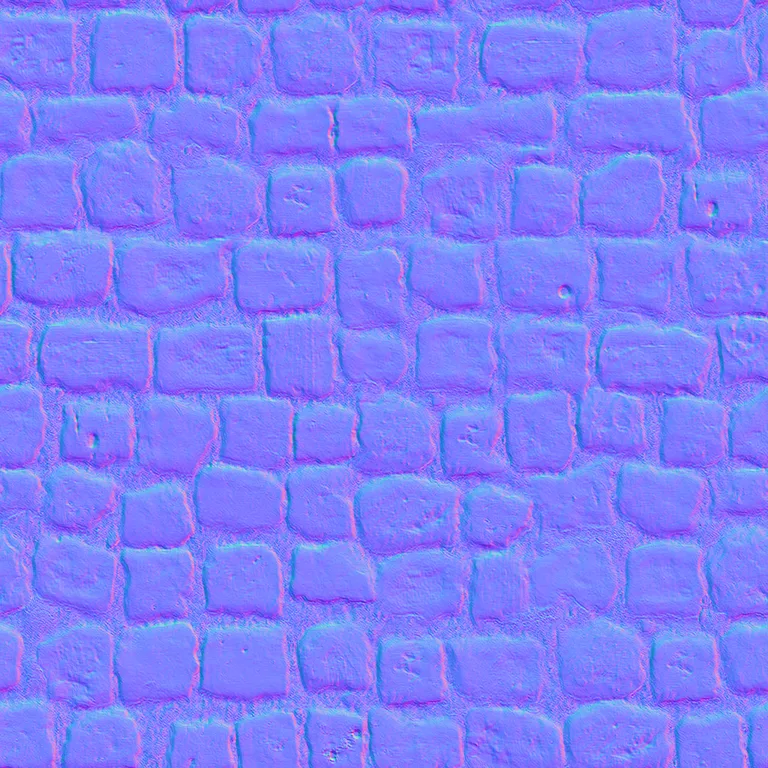
Normal mapwhich way each point of the surface faces 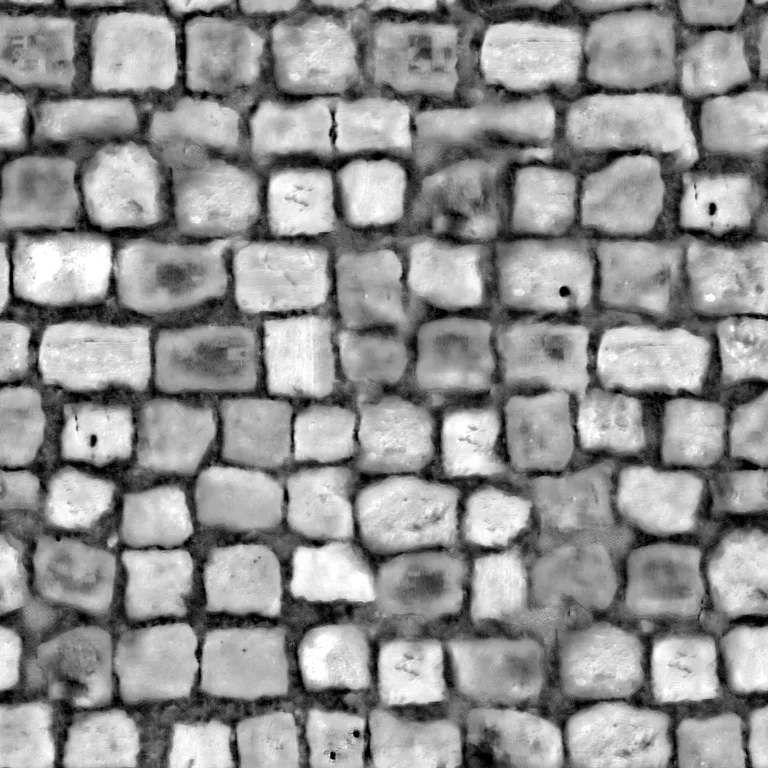
Height maphow far each point stands out 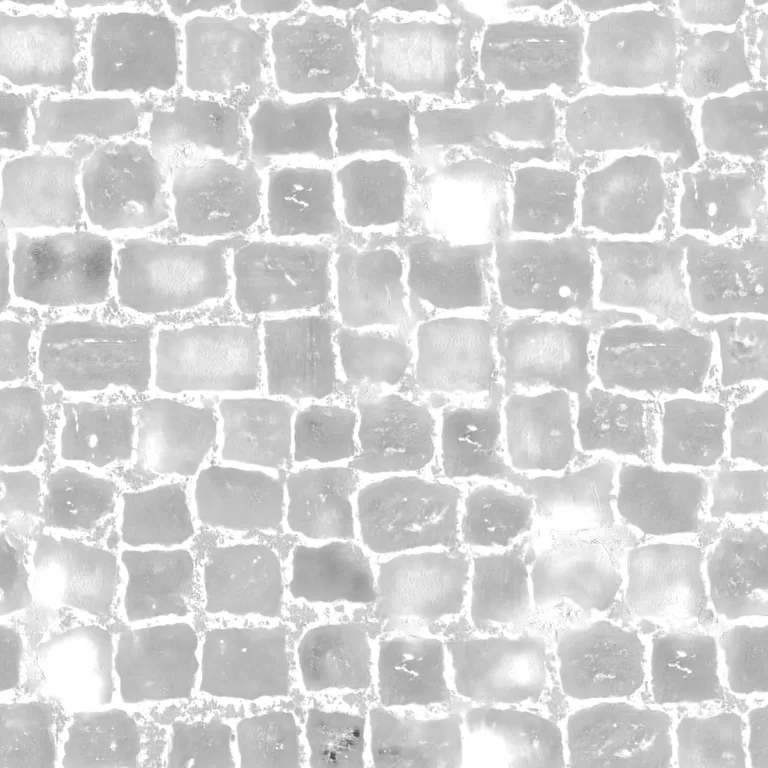
Roughness mapwhere it is matte and where it shines
Questions
- How does it get bumps out of a flat photo?
- Models trained on textures, run on our GPU, read what is raised and what is sunk from the shapes, so bricks stand out from their mortar and cobbles come out rounded. The older way reads brightness as depth: on a rough surface lit from the front, deeper points catch less light. It is the heuristic Materialize and CrazyBump use, and it fails on painted patterns, where white mortar between red bricks comes out high.
- What can I adjust afterwards?
- The strength of the bumps, how dark the occlusion goes, and OpenGL or DirectX normals. The maps take about ten seconds on a free shared GPU and come back at the photo’s size, up to 2048 pixels; the controls then work on them in your browser, at once, without another run.
- OpenGL or DirectX?
- The two conventions disagree on which way the green channel points. Blender, glTF, three.js, Godot and Unity, in every render pipeline, use OpenGL; Unreal and 3ds Max use DirectX. Pick the wrong one and the bumps look inside out under some lights. Switch it here rather than fixing it in the engine.
- What is the roughness map based on?
- The material: the model names the surface (brick, marble, rusted metal) and sets how rough it is, and a net trained on textures adds the variation across it.
- Can I download one map on its own?
- Yes. Click a map thumbnail to download that map alone as a PNG. The zip is there when you want the whole set, and the height map has its own tab when that is the one you are after.
- Can I use the height map for displacement?
- Yes. As a bump map it only changes the shading; as a displacement map it moves the surface, which needs a finely divided mesh. In Blender, plug it into a Displacement node for real depth, or a Bump node for the cheap version. Click the height thumbnail to download it on its own.
- Can I make a terrain heightmap with this?
- Only of a surface texture, such as a rock face or sand. A heightmap of real terrain, a mountain or an island, comes from elevation data, not a photo, and needs a terrain tool.
- Is my photo uploaded?
- Yes, when you click Make maps: the maps are made on our GPU, so the photo is sent for that run, at up to 2048 pixels, and is not kept. Adjusting the maps afterwards happens in your browser.
- Does it keep the photo seamless?
- Yes. Every model behind the maps wraps around the edges, and so does every filter, so a tileable photo gives tileable maps. If the photo itself has a seam the report says so, and the Texture generator tab repaints it as one that has none.
- Do I need an account or to sign up?
- No. No sign-up, login or email is required: open the page and use it. The AI runs on a free daily allowance per visitor, and when it is used up the page says when it comes back; the tools that run in your browser keep working in the meantime.
Next
- Texture generatorDescribe a surface, like mossy bricks or oak planks, or add a photo of one, and get a texture that tiles without seams, with the maps games and renderers use.a description · a photo
- RetextureGive a model you already have new colours and materials, from a picture or a description. The shape stays.a 3D model + an image or text
- Image to 3DTurn a photo of one object into a textured 3D model in about a minute. Download it as GLB, OBJ or STL.JPG · PNG · WebP · HEIC