Free AI retexturing for 3D models, No sign-up required
Drop a model and show it how to look, with a picture or a sentence. Under a minute later it comes back painted, with colour, roughness and metallic maps and the same shape, size and UVs.
- Free daily
- No account required
- On our server
Drop a 3D model to texture
- STL
- OBJ
- PLY
- GLB
- glTF
Up to 500,000 triangles. The model and the reference are sent to a GPU for the run and not kept anywhere.
How it works
Read the shape
your mesh, from every side
Read the reference
your image, or your model painted from your words
Paint in 3D
colour, roughness and metallic, on the surface itself
Bake to UVs
yours, or a fresh unwrap
TRELLIS.2 reads your mesh into the same 3D grid it builds models in and generates the colour, roughness and metallic directly on that surface, guided by the reference; then they are baked into the UV map. Because it paints in 3D rather than from a few camera views, every side gets a texture, the back included. It is a different job from a seamless material, which tiles across a wall or a floor; this one is unique to your model. No model yet? Generate one from a photo or a sentence.
Retexture models compared
Every model was given the same two meshes and the same picture of how each should look, one run each.
Dragon
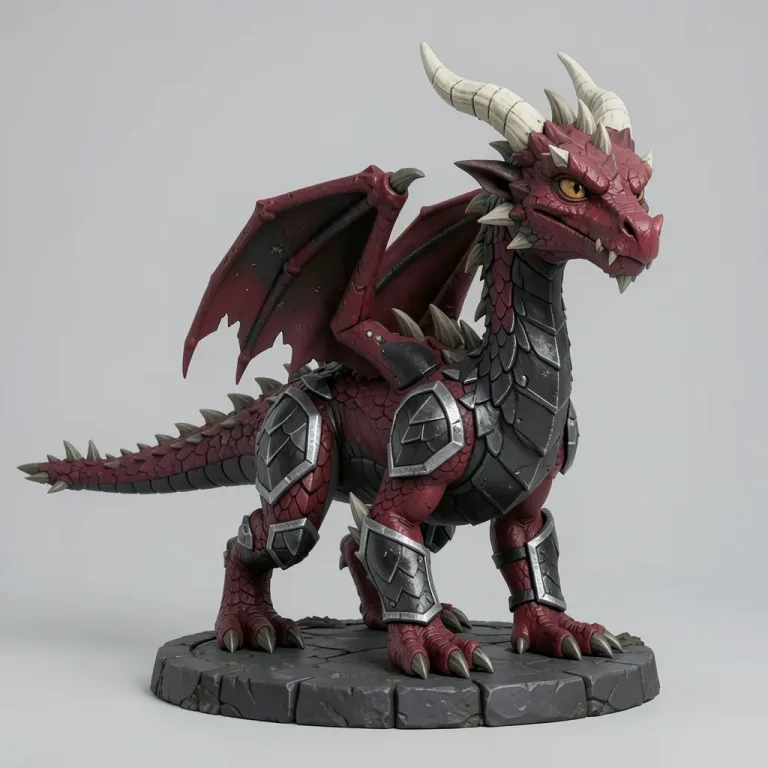
The look asked for 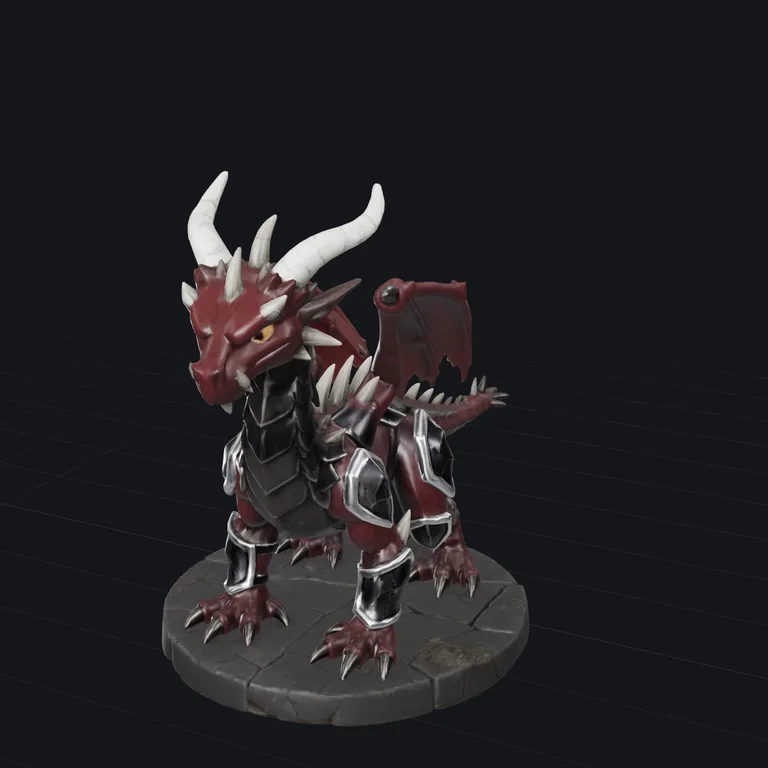
TRELLIS.2 Standardfree · about 30 seconds 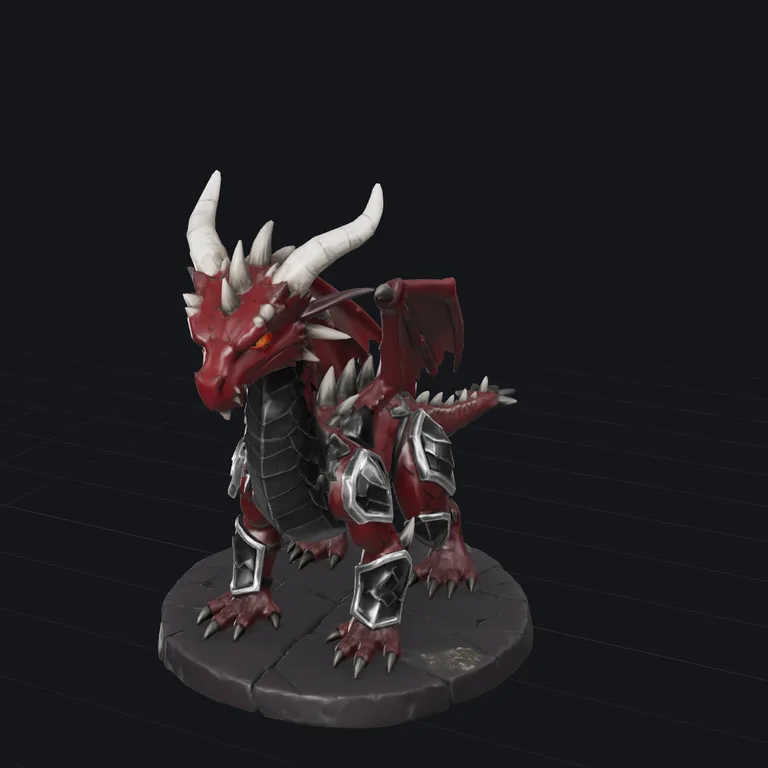
TRELLIS.2 Pro10 credits · about a minute 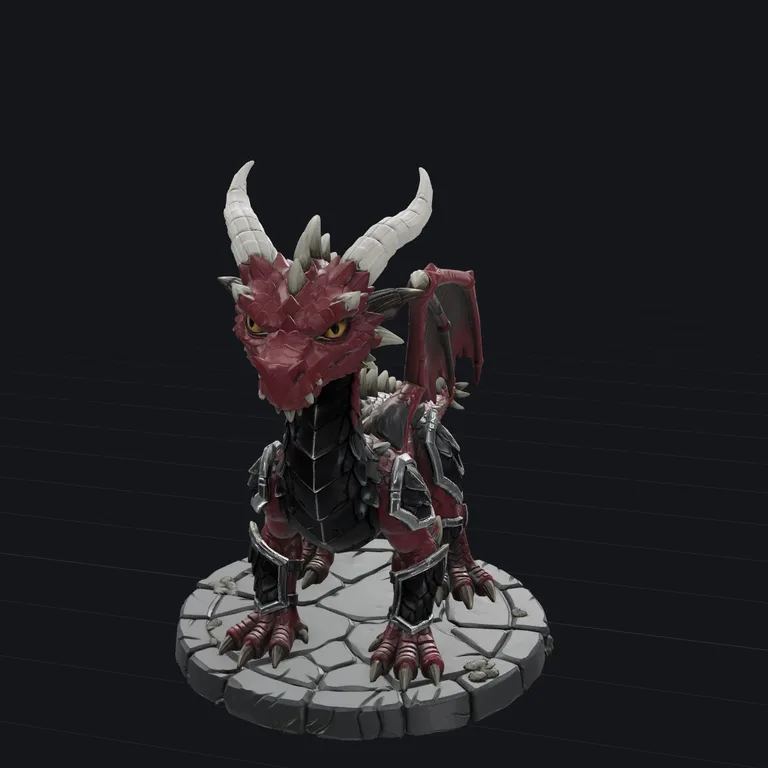
Tripo Standard20 credits · about a minute 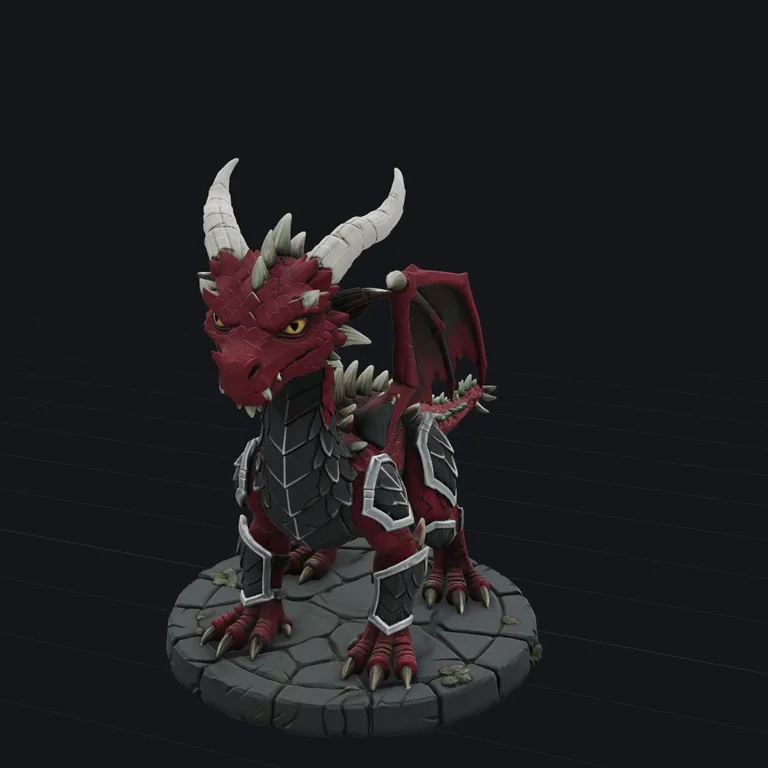
Tripo Detailed40 credits · about 2 minutes
Spaceship
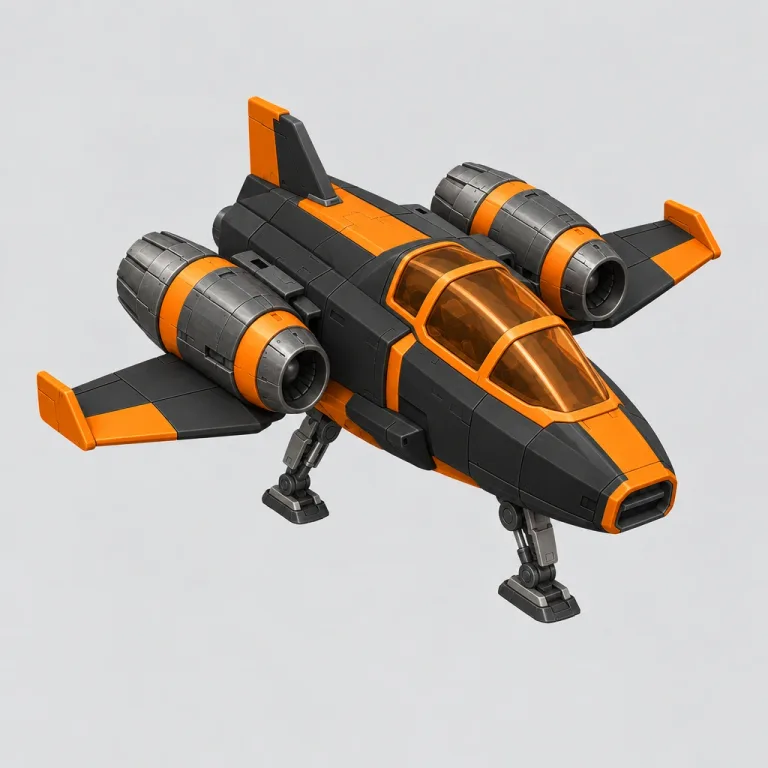
The look asked for 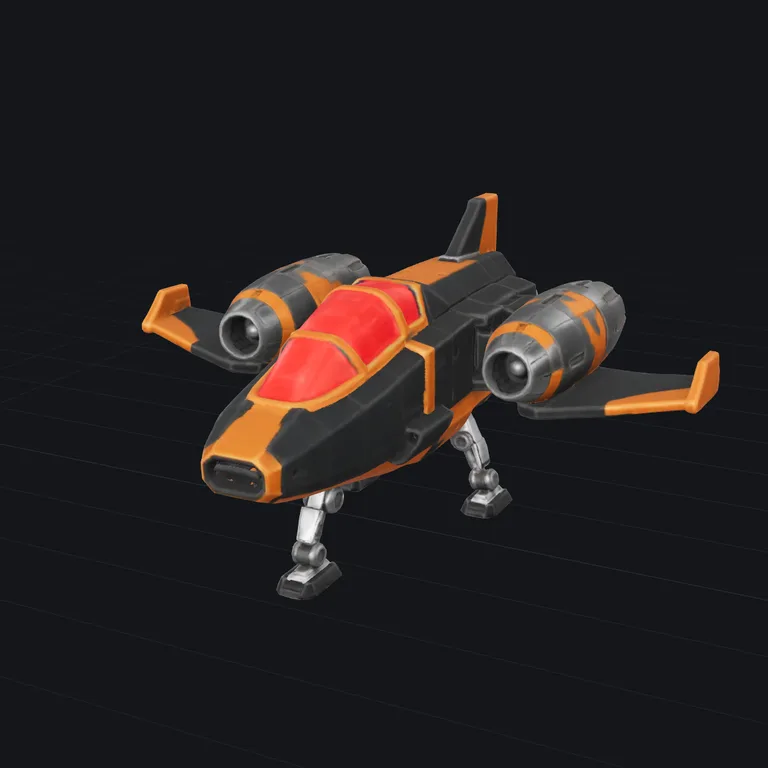
TRELLIS.2 Standardfree · about 30 seconds 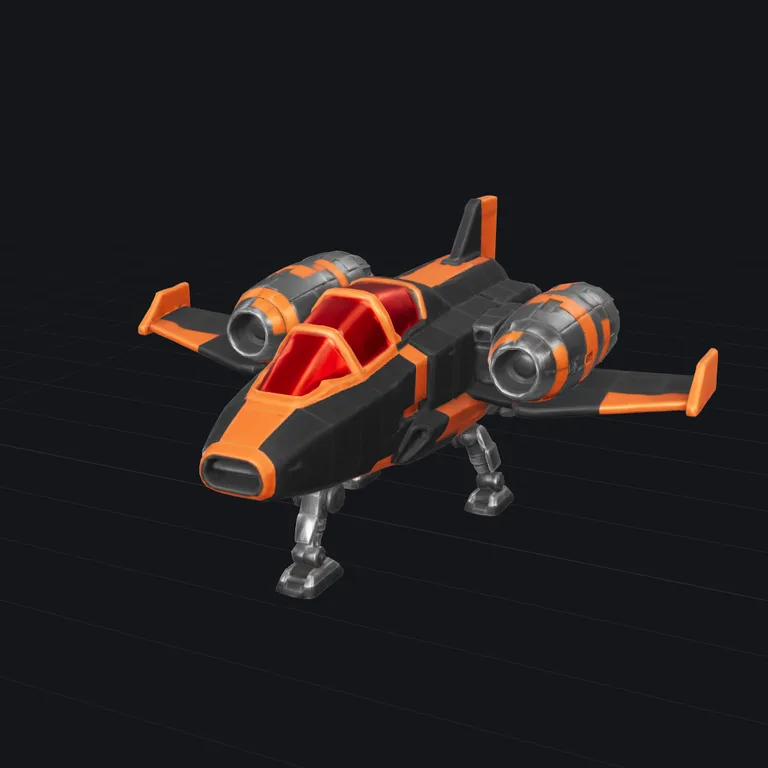
TRELLIS.2 Pro10 credits · about a minute 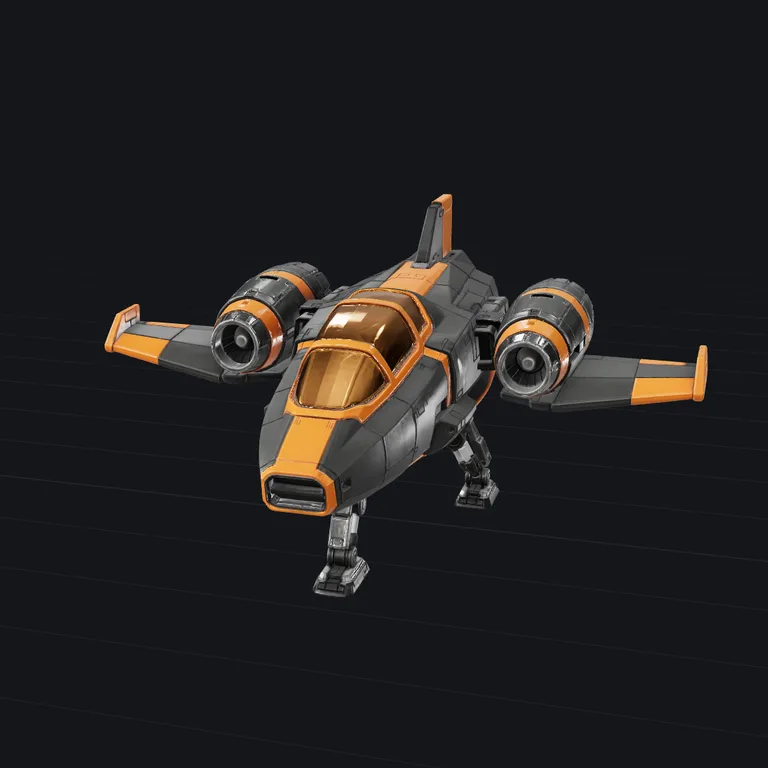
Tripo Standard20 credits · about a minute 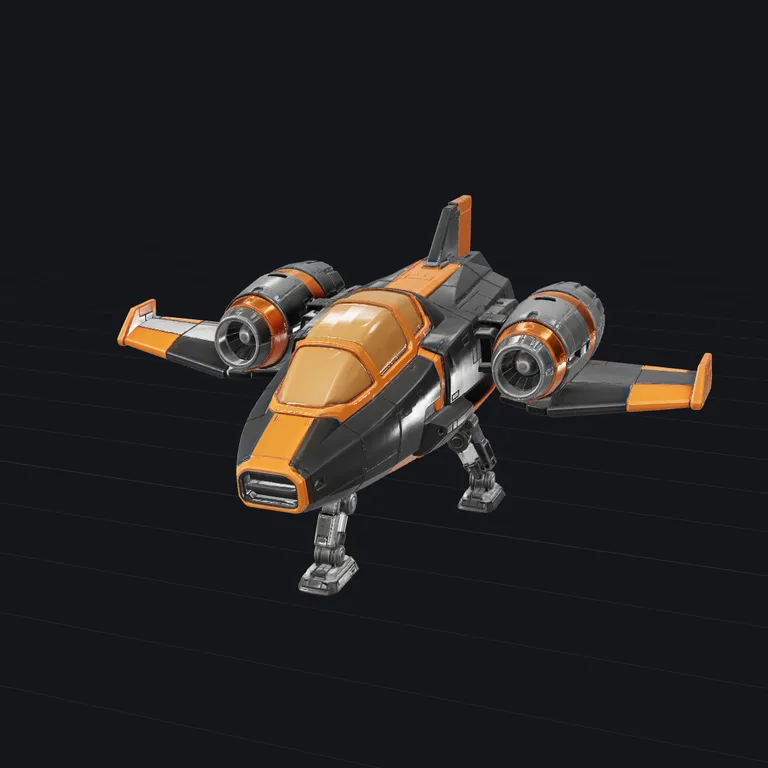
Tripo Detailed40 credits · about 2 minutes
Questions
- What does the reference image do?
- It is the whole brief. The model paints your mesh to look like the object in the image, colours, materials and wear included, while the shape stays exactly as it is. A photo, a render or concept art all work; one object, seen from the front, on a plain background works best. The background is removed automatically.
- Can I describe the look in words instead?
- Yes. The engine reads pictures, not words, so a picture of your own model is painted in the look you describe first, and that picture is the reference. Because it is your model repainted, the shape always matches. Name the object and the look together: 'a weathered bronze statue' rather than 'bronze'. You see the painted reference next to the result and can run again for a new one.
- Does it keep my UVs?
- Yes, if the model has them: the textures are baked into your existing UV layout. A model without UVs, which means most STL and many PLY files, is unwrapped first. Either way the geometry, size and position come back unchanged.
- What happens to my files?
- The model and the reference are sent to a GPU for the run and discarded afterwards. 3D Valley does not store either; the textured GLB comes straight back to your browser.
- Is it really free?
- Yes, within a daily allowance: it runs on shared GPUs at Hugging Face, and a run takes about half a minute of it. When the allowance is used up you can keep going with credits, from 5 cents a run, on the same model.
- Do I need an account or to sign up?
- No. No sign-up, login or email is required: open the page and use it. The AI runs on a free daily allowance per visitor, and when it is used up the page says when it comes back; the tools that run in your browser keep working in the meantime.
Next
- CompressA smaller file, same model: for the web, a game or an email.STL · OBJ · PLY · GLB · glTF
- ViewerOpen any 3D file, turn it around, and see its size, volume and polygon count.STL · OBJ · PLY · GLB · glTF
- ConvertConvert between STL, OBJ, PLY and GLB, with the units fixed so the size comes out right in your slicer.STL · OBJ · PLY · GLB · glTF
- ReduceFewer triangles, same look: make a heavy model lighter, textures kept.STL · OBJ · PLY · GLB · glTF