Free auto retopology, No sign-up required
A clean new mesh for editing or animation: an even grid of quads or triangles at the count you choose, with the original's colour and detail baked onto it. Usually under a minute, free and without a limit.
- Free, unlimited
- No account required
- In your browser
Drop a 3D model
- STL
- OBJ
- PLY
- GLB
- glTF
The model is remeshed on your device and never uploaded. A phone sends it to our server for the run instead; it is not kept.
How it works
The model is first filled into a fine grid and wrapped in one sealed surface, so holes, overlaps and broken edges stop mattering. QuadriFlow then lays an even field of quads over that surface, following its curvature, at the count you asked for, or on Auto at a count measured to fit its detail; Instant Meshes steps in if it fails. A part thinner than one face is widened to one face and remeshed again, so spokes and blades come through. The new mesh is unwrapped, and every texel of its new textures takes its colour, roughness and surface direction from the nearest point of the original.
The result is a GLB that looks like the original with a fraction of its faces, and an OBJ with the quads, UVs and textures for editing. It runs in your browser, so the file is never uploaded.
Fewer faces, or a smaller file
Two lighter jobs sit on the other tabs, both in your browser; Continue with takes the model there. Reduce merges the triangles the model already has down to a count, which is quicker when the layout of the faces does not matter. Compress keeps the shape and shrinks a GLB for the web or an engine: textures resized, geometry quantized and packed where the engine reads it.
Remesh models compared
Both were given the same two generated models, close to two million triangles each. QuadriFlow chose the number of quads itself, on Auto: about 25,000 for the dragon and 22,500 for the spaceship. Tripo makes 10,000 at most and was asked for that.
Dragon
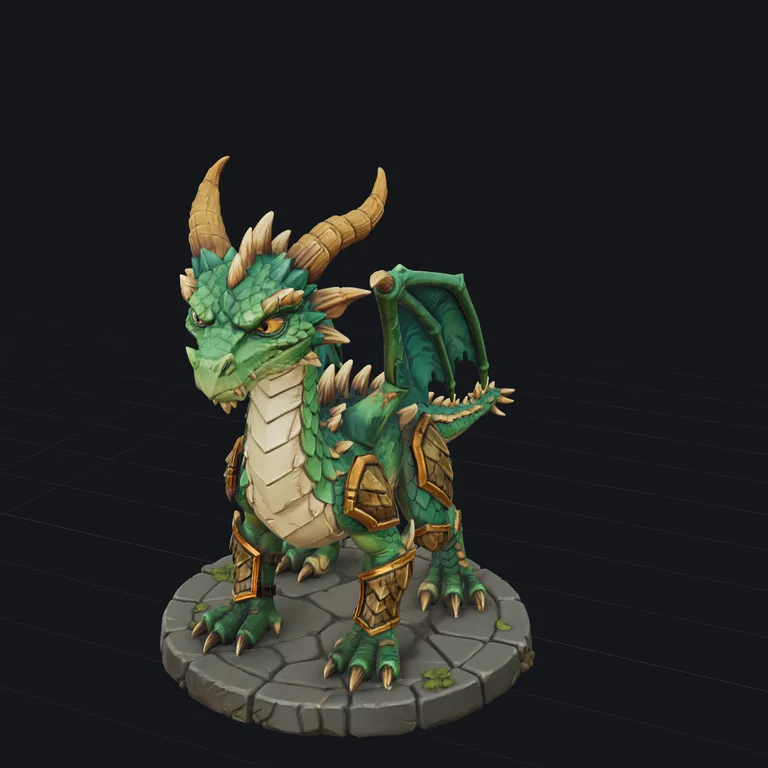
The model 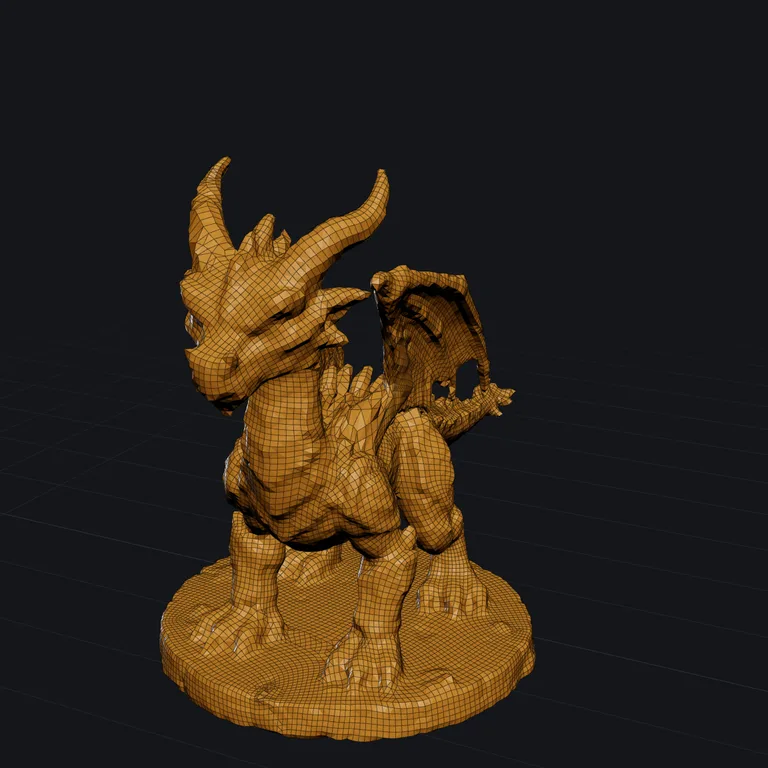
QuadriFlowfree · under a minute 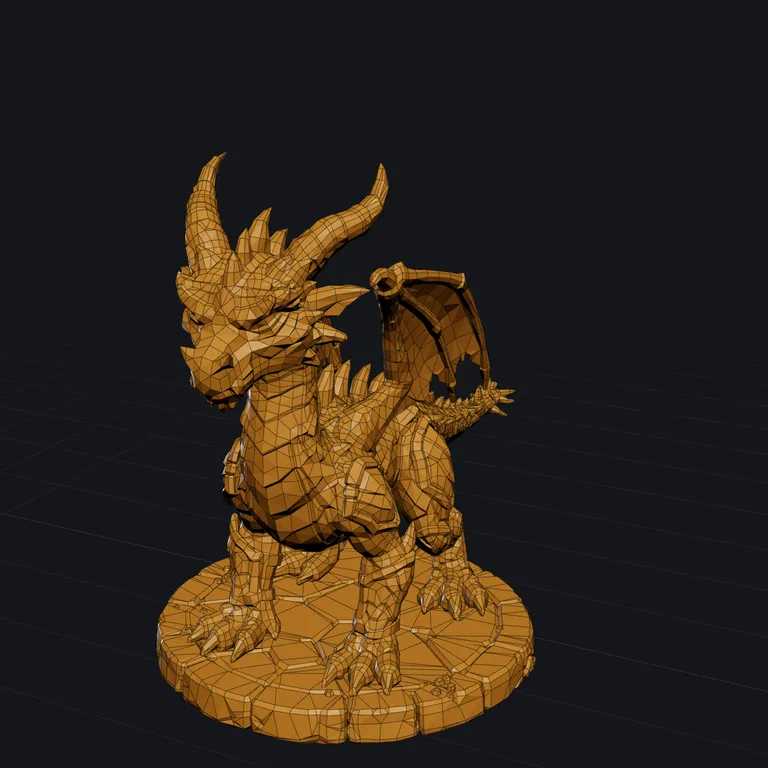
Tripo50 credits · 5 to 10 minutes
Spaceship
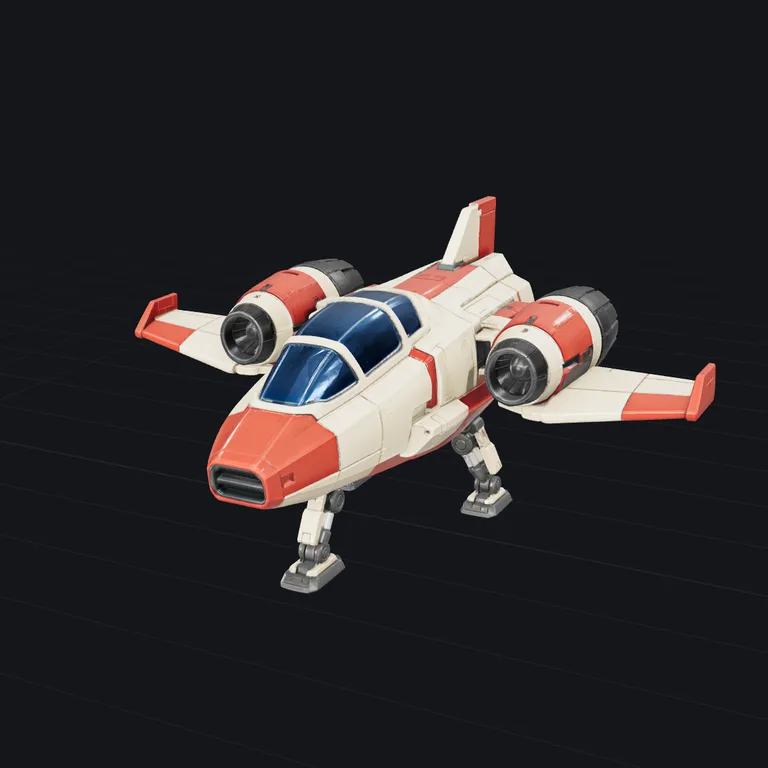
The model 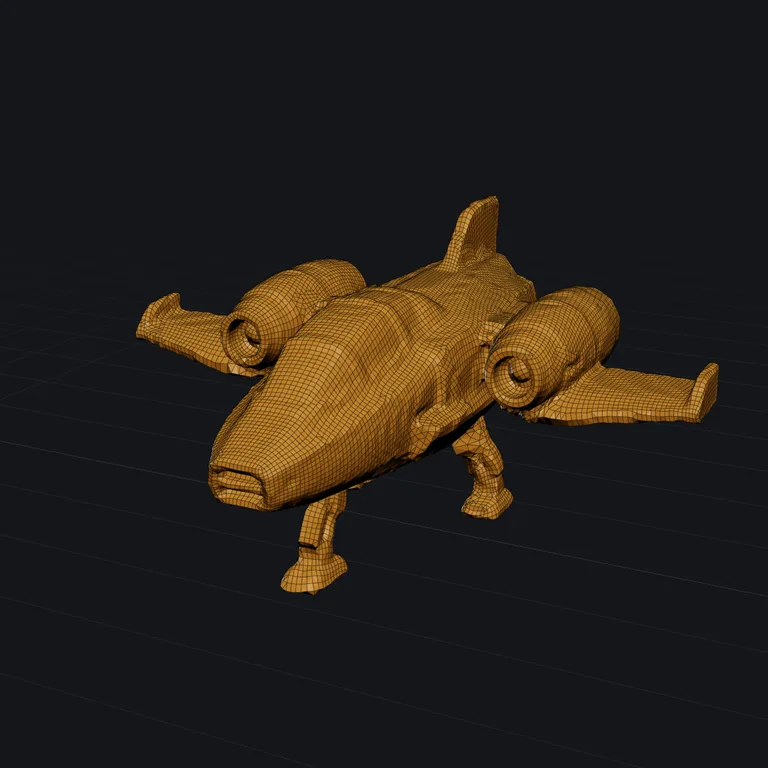
QuadriFlowfree · under a minute 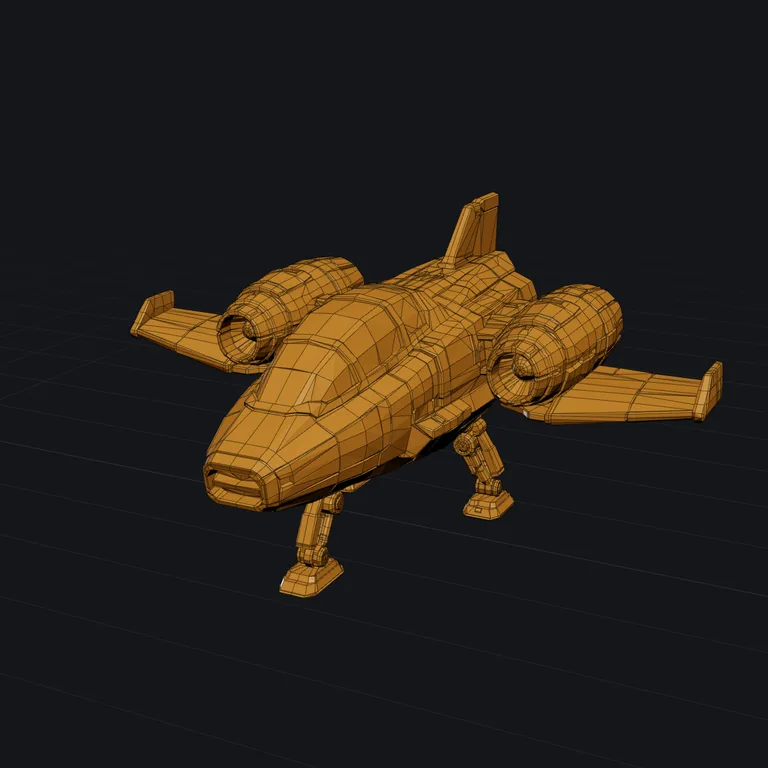
Tripo50 credits · 5 to 10 minutes
Questions
- Is this auto retopology?
- Yes. You set a face count and choose quads or triangles, and the new topology is laid out for you: an even grid that follows the curvature of the shape, with no manual edge loops to draw. It is not a hand retopology with loops placed for a face rig, but it gives a clean base for sculpting, UVs, baking or a game asset, and it copes with scans and generated models that manual tools choke on.
- Is this AI retopology?
- It does the job AI retopology tools advertise: a messy mesh in, clean quads out, with no edge loops to draw. The quads are laid by QuadriFlow, a proven retopology algorithm, not by a neural network, so the same model gives the same result every time. It was built for AI-generated models, which are the meshes that need retopology most and that most remeshers fail on.
- What is the difference between remeshing and reducing?
- Reducing merges the triangles a model already has, so the count drops but the layout stays as messy as it was. Remeshing throws the old surface away and lays a new, even grid of quads or triangles over the shape. Reduce when you only need fewer triangles, fast; remesh when the topology itself matters: for editing, sculpting, rigging, or a clean game asset.
- Are the textures kept?
- Yes. The new mesh gets fresh UVs, and for every pixel of its textures the tool looks up the nearest point on the original: colour, metallic and roughness, plus a normal map that carries the fine detail the new mesh is too coarse to hold. The GLB you download looks like the original at a fraction of its faces.
- Quads or triangles?
- Quads for anything you will keep working on: Blender, ZBrush, rigging and animation all behave better on an even quad grid. Triangles for a game engine or the web, which draw triangles anyway. The OBJ download keeps quads as quads, with UVs, normals and the textures next to it; a GLB always stores triangles, and the wireframe view shows the quads.
- How many faces should I ask for?
- A background prop in a game: 2–5k. A hero prop or a web model: 10–20k. A character to sculpt on: 20–50k. Auto, the default, remeshes once to measure the model's detail and picks the count that should keep the shape within 0.4%; a count you pick is capped at half the faces the model has, so the result comes out lighter. The normal map keeps small detail such as rivets and grain visible well below the count the original needed.
- Is the result ready for Godot, Unity or Blender?
- The GLB keeps the origin of your file, and its mesh, node and material are named after it. Set Origin to Bottom centre and it stands on the floor where an engine places it. The OBJ download is a ZIP with the .obj, its .mtl, and the colour and normal maps.
- Does it work on AI-generated models?
- That is what it was built for. Generated meshes come with holes, overlapping parts and edges shared by three faces, which make most remeshers crash. This one seals the model into one surface first, then remeshes that, and bakes the look from the original.
- What happens to my file?
- It stays on your device: the remesh runs in your browser and nothing is uploaded, so there is no queue and no limit. The first run downloads the remesher, about 40 MB. A phone, or a model too large for the device, is sent to our server for the run instead and not kept. If you choose Tripo's retopology, which runs for credits, the model is sent to Tripo for the run.
- Do I need an account or to sign up?
- No. No sign-up, login or email is required, and there is no limit: the tool runs in your browser, so there is nothing to meter. Use it as often as you like, on as many files as you like.
Next
- RetextureGive a model you already have new colours and materials, from a picture or a description. The shape stays.a 3D model + an image or text
- CompressA smaller file, same model: for the web, a game or an email.STL · OBJ · PLY · GLB · glTF
- ViewerOpen any 3D file, turn it around, and see its size, volume and polygon count.STL · OBJ · PLY · GLB · glTF
- ConvertConvert between STL, OBJ, PLY and GLB, with the units fixed so the size comes out right in your slicer.STL · OBJ · PLY · GLB · glTF