Free AI image to 3D, No sign-up required
A photo of one object becomes a textured mesh in about a minute. Turn it around, then download it as GLB, OBJ or STL.
- Free daily
- No account required
- On our server
Drop a photo of one object
- JPG
- PNG
- WebP
- HEIC
The image is sent to a GPU for the run and not kept anywhere.
No photo? Try one:
No photo? Describe the object instead.
How it works
Cut out the object
background removed
Predict shape and material
a sparse 3D grid, sampled in a few steps
Build the mesh
detailed, with normals and UVs
Bake the textures
predicted with the shape, from your photo
The long version, with what the model can and cannot know from one photo, is in how image to 3D actually works. No photo? Describe the object and one is painted for you. The models and what each costs are below.
The textures are read off the pixels the photo has, so a small or blurry picture comes back as a smooth, vague model. Upscale it first with Upsampler's free image upscaler, from the same team as this site, and drop the sharper picture in here.
What you get
A detailed mesh with PBR textures (colour, roughness and metallic), in the GLB that game engines, Blender and every web viewer open directly. It is a starting point, not a scan: the engine sees one photo and infers the shape, so detail on the far side is invented and fine geometry such as spokes, lettering and thin handles is smoothed over. For a prop, a print or a placeholder, that is usually exactly enough.
Once it is generated, the other tools take over: check the printability and cost, remesh it for a game, paint new textures on it, or convert it to whichever format the next program wants. For the next step in a modeller, see how to take a generated model into Blender, Unity or Unreal. Looking for something that already exists? Search the free 3D models first.
Image to 3D models compared
Every model was given the same two pictures, one run each, not the best of several.
Dragon
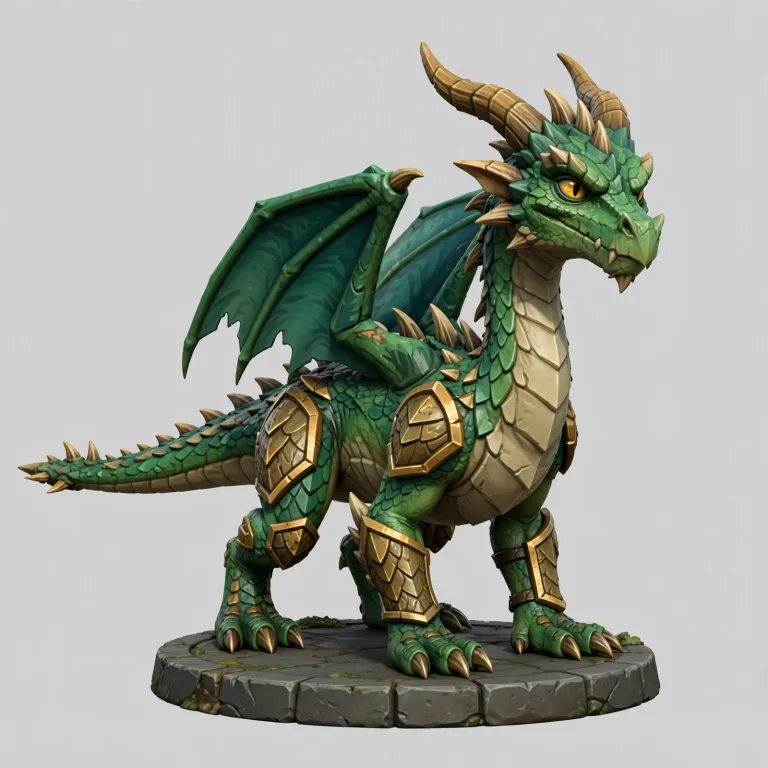
The picture 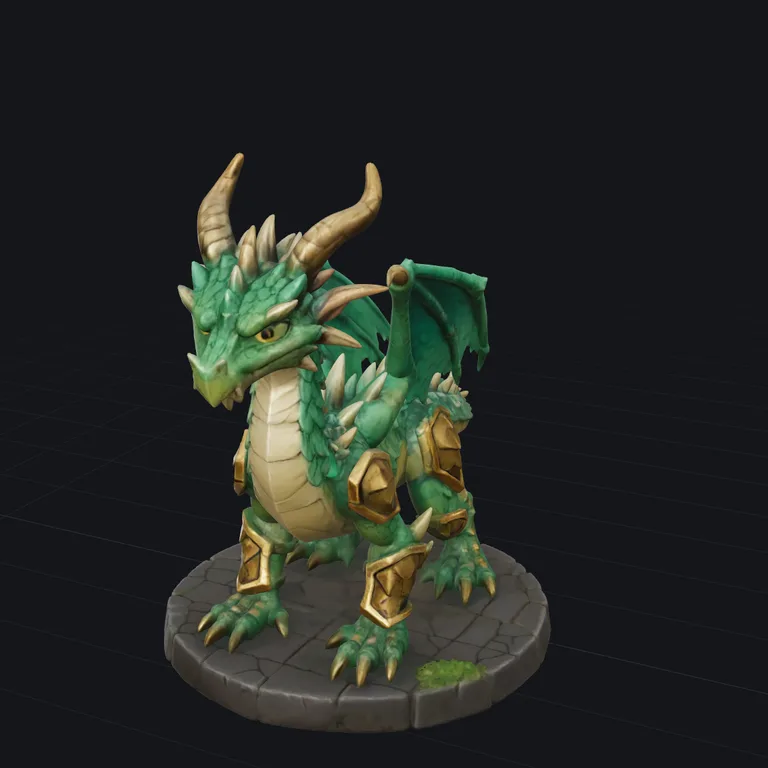
TRELLIS.2 Standardfree · about a minute 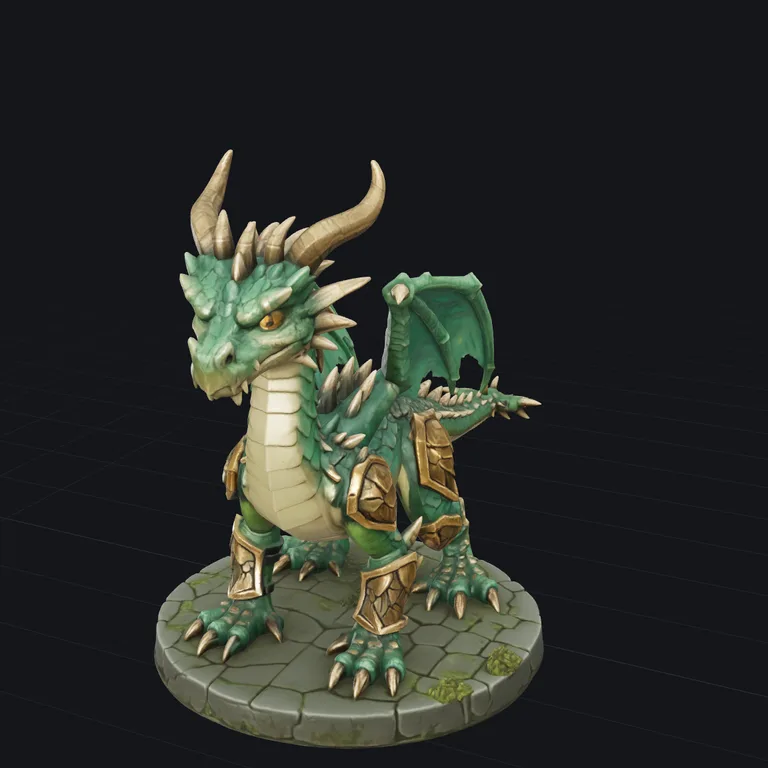
TRELLIS.2 Pro15 credits · about 2 minutes 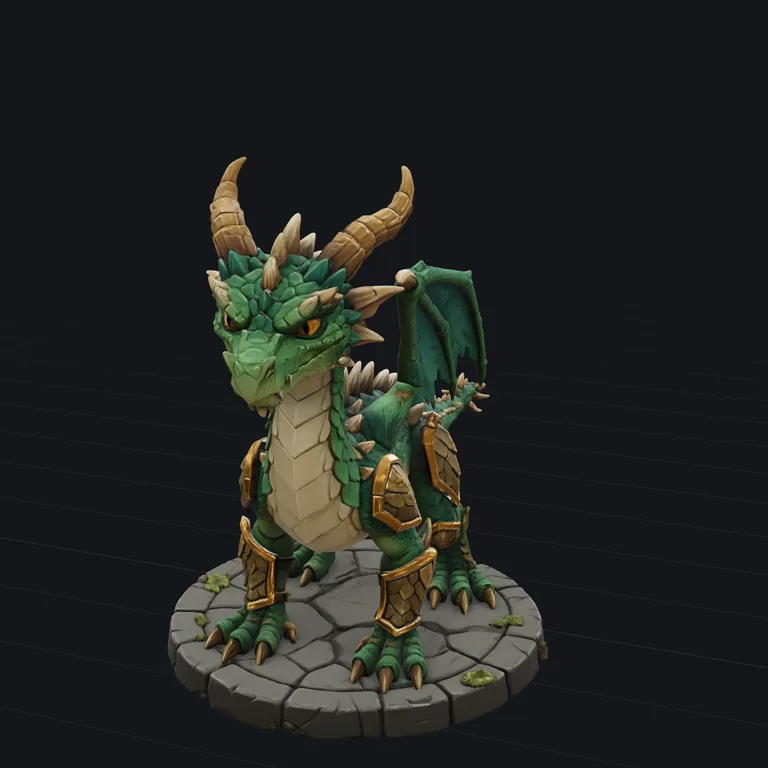
Tripo 3.1 Standard50 credits · about 2 minutes 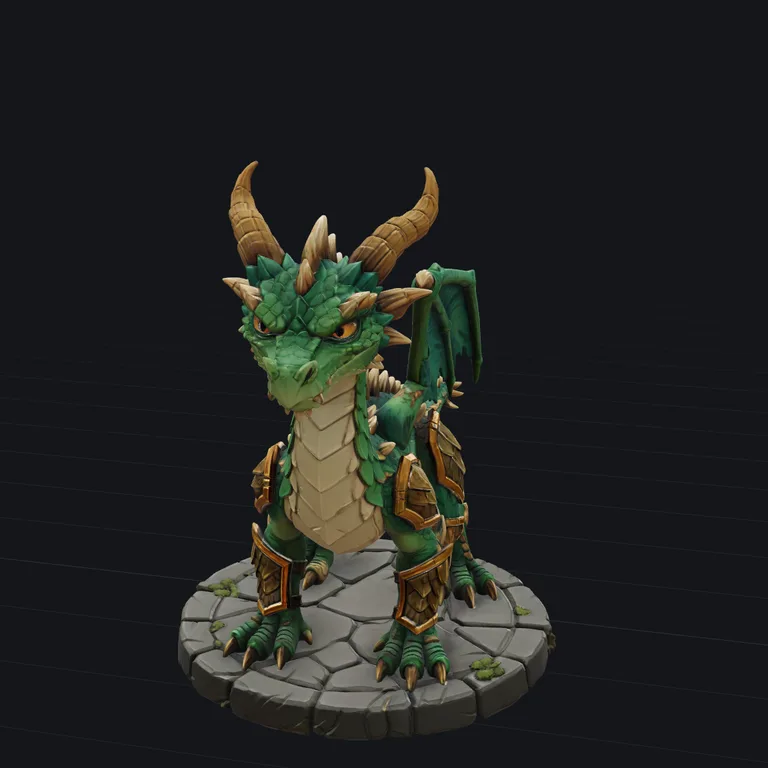
Tripo 3.1 Detailed100 credits · about 4 minutes 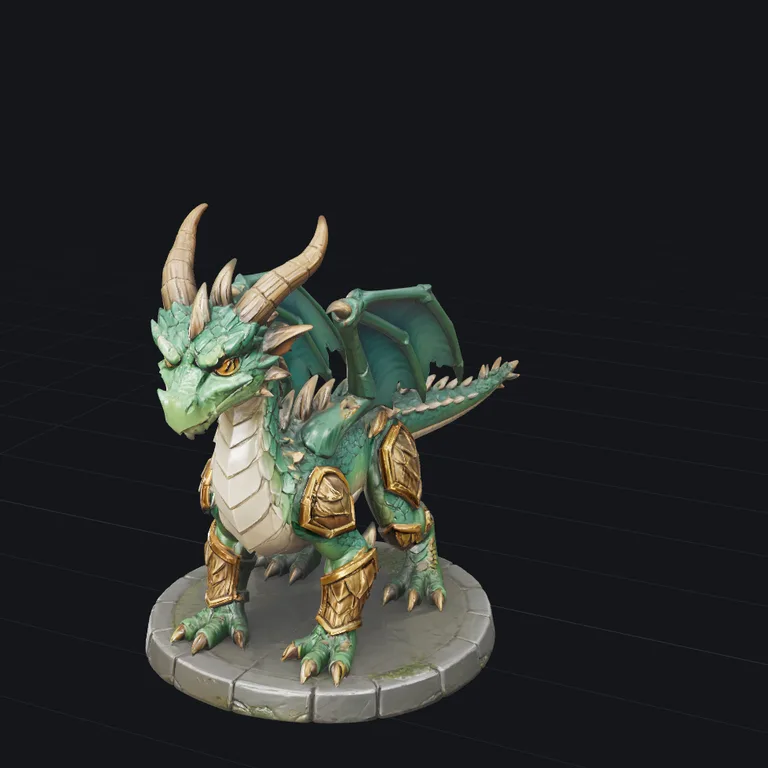
Hunyuan3D 3.1 Pro90 credits · about 4 minutes
Spaceship
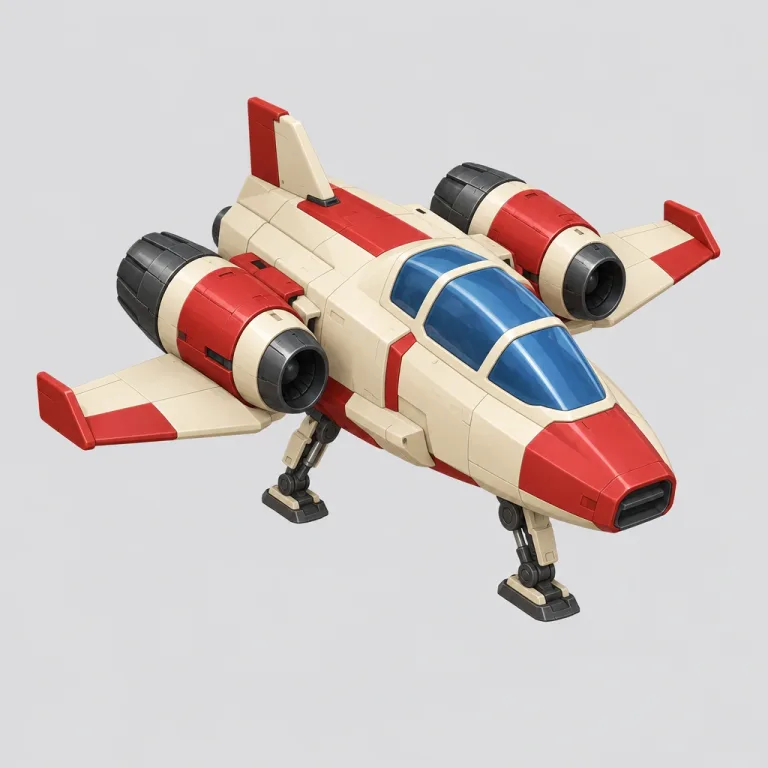
The picture 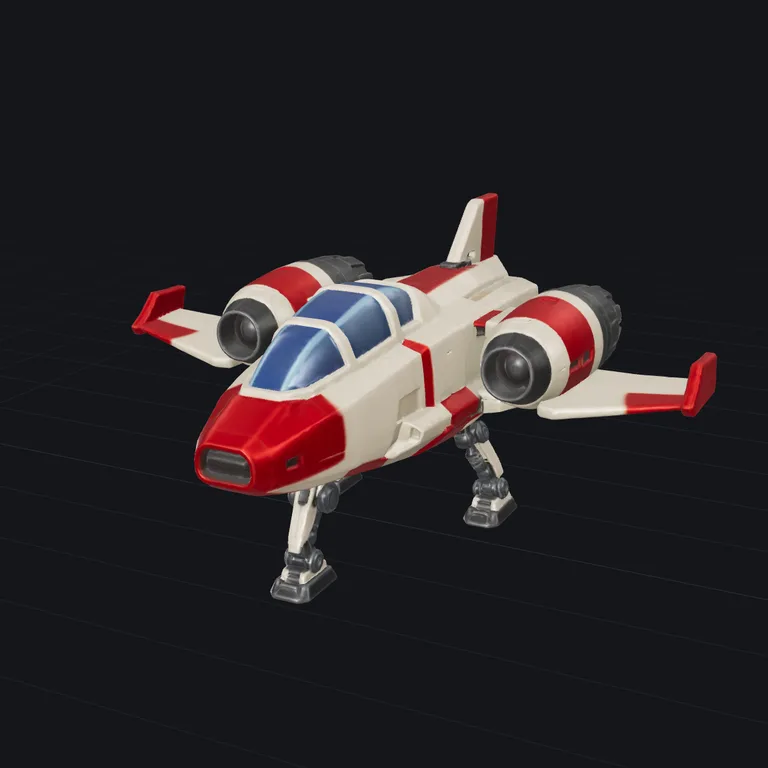
TRELLIS.2 Standardfree · about a minute 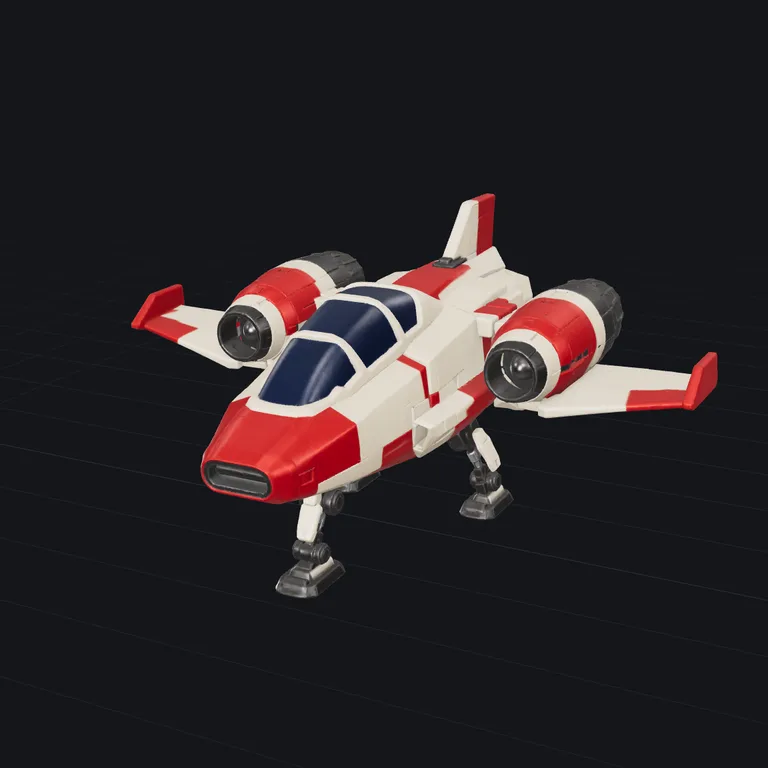
TRELLIS.2 Pro15 credits · about 2 minutes 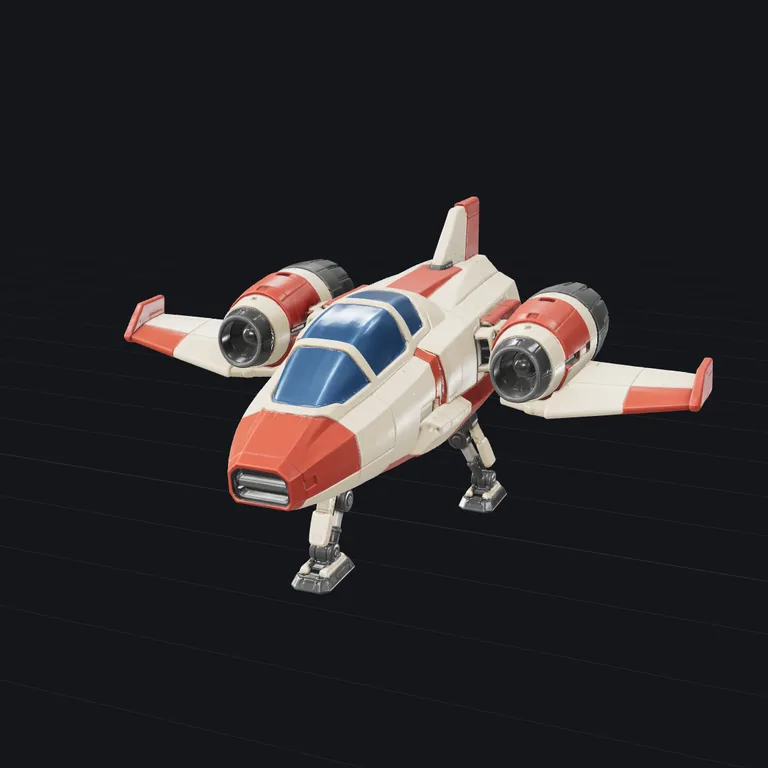
Tripo 3.1 Standard50 credits · about 2 minutes 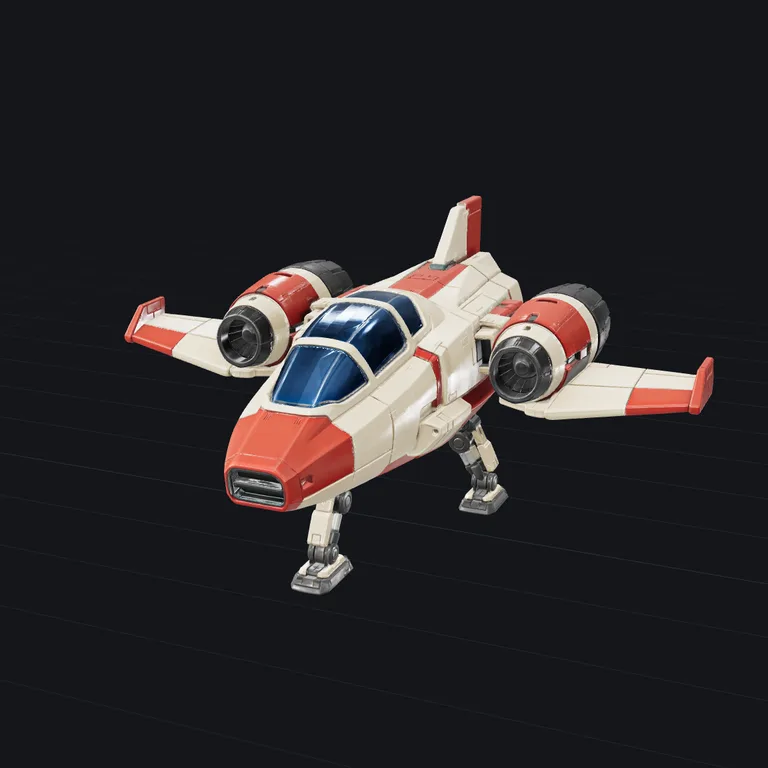
Tripo 3.1 Detailed100 credits · about 4 minutes 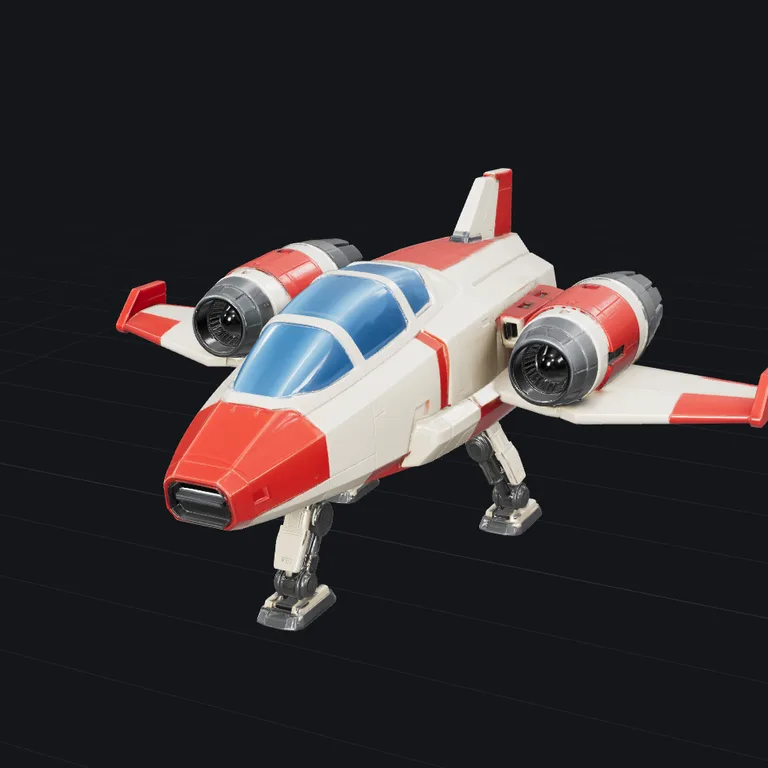
Hunyuan3D 3.1 Pro90 credits · about 4 minutes
Engines
Free runs use TRELLIS.2, the strongest open 3D generator, on shared GPUs at Hugging Face. When the daily free runs are used up, the same model keeps going for credits. The other engines run for credits only, each picked by name.
TRELLIS.2 Standardfree
A detailed, textured mesh with PBR materials. The strongest open 3D model.
about a minute
TRELLIS.2 Pro15 credits
The same model at its highest settings: the finest geometry it can make, a million triangles and 4K PBR textures.
about 2 minutes
Hunyuan3D 3.1 Pro90 credits
Tencent's newest model at full quality: clean, closed meshes that print well, with fine geometry and sharp PBR materials.
about 4 minutes
Tripo 3.1 Standard50 credits
Clean, game-ready topology and detailed PBR textures.
about 2 minutes
Tripo 3.1 Detailed100 credits
The same model at its detailed settings: finer geometry and sharper textures, for a longer wait.
about 4 minutes
Questions
- What kind of photo works best?
- One object, most of the frame, plain background, lit from the front and slightly from above. The background is removed automatically. The engine only sees one side, so the back is a guess. Symmetric objects come out best.
- How long does it take?
- About a minute on a free GPU, plus a short queue when they are busy.
- Can I turn an image into an STL?
- Yes: every result downloads as STL too, and PNG, JPG, WebP and HEIC all work. It is a full 3D object, round on every side, not a picture raised off a flat plate; for a logo or a lithophane you want an extrusion tool instead. For printing, Repair seals the model into one solid first.
- Can I 3D print it?
- After one click. A generated mesh comes out with small holes, edges shared by three faces and loose fragments, which slicers reject. Repair, under Continue with, patches it and, where patching is not enough, rebuilds it as one sealed solid with the same shape; the STL you download there slices. It is scaled to millimetres, and the print cost calculator sets the size and shows the filament cost.
- What happens to my photo?
- It is sent to the GPU for the run and discarded afterwards. 3D Valley does not store it, and the result comes straight back to your browser. Every download after that, STL, OBJ or GLB, is made on your device.
- Is it really free, and who owns the result?
- Free, no sign-up required, and the model is yours. The free engine is an open-weights model whose licence puts no claim on what it generates.
- Do I need an account or to sign up?
- No. No sign-up, login or email is required: open the page and use it. The AI runs on a free daily allowance per visitor, and when it is used up the page says when it comes back; the tools that run in your browser keep working in the meantime.
Next
- RepairClose holes and fix broken faces so the model slices and prints. A short report shows what changed.STL · OBJ · PLY · GLB · glTF
- Print costWork out what a print costs and what to charge: filament, electricity, printer wear and your time, from slicer figures, a model or G-code.STL · OBJ · PLY · GLB · glTF
- ReduceFewer triangles, same look: make a heavy model lighter, textures kept.STL · OBJ · PLY · GLB · glTF
- RetextureGive a model you already have new colours and materials, from a picture or a description. The shape stays.a 3D model + an image or text