Free AI auto rigging for 3D models, No sign-up required
Drop a humanoid character and get it back with a skeleton and skin weights, ready to pose and animate. Then add walk, run, idle and other animations to it.
- Free daily
- No account required
- On our server
Drop a 3D model
- GLB
- glTF
- OBJ
- STL
- PLY
The model is rigged on our free GPU and not kept. Humanoid characters: two arms, two legs, standing.
How it works
The model is read from every side, the joints are placed where the body bends (hips, knees, shoulders, elbows, the spine and the neck) and every vertex is bound to the bones that should move it. What comes back is your model, at its own size and with its own textures, as a GLB with the skeleton and the skin weights inside. Rig the mesh once it is final: an AI model usually rigs better after a remesh. No character yet? Make one from a picture.
Rigging models compared
Every model was given the same two characters, one run each. Each is caught mid-walk. Tripo's and Meshy's walks are their own; Make-It-Animatable's free rig comes without one, so it walks with Quaternius' CC0 walk, put on by us. Its weights hold on a plain character and pull loose gear along with the arms, as the backpack shows.
Character
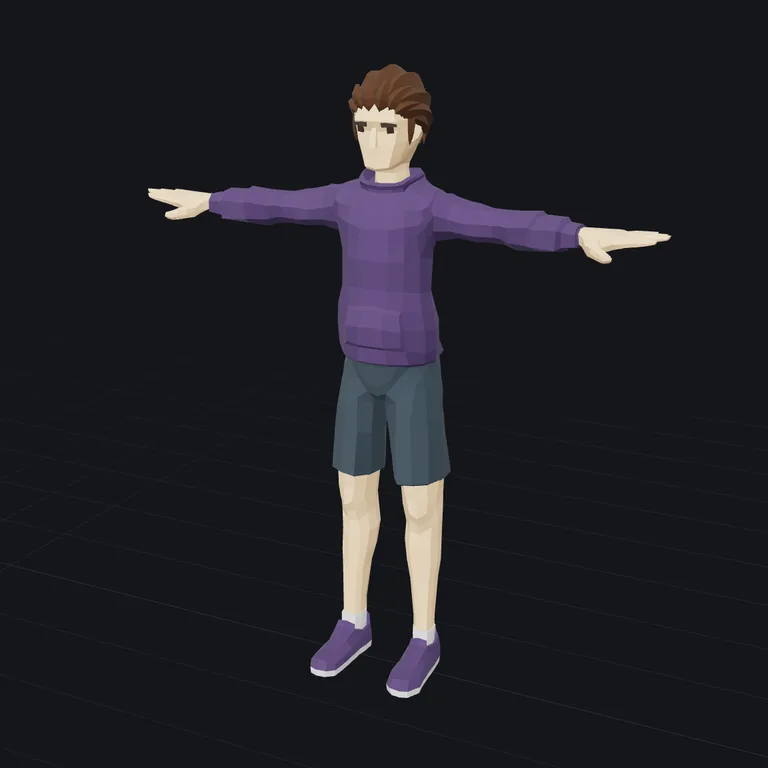
The model 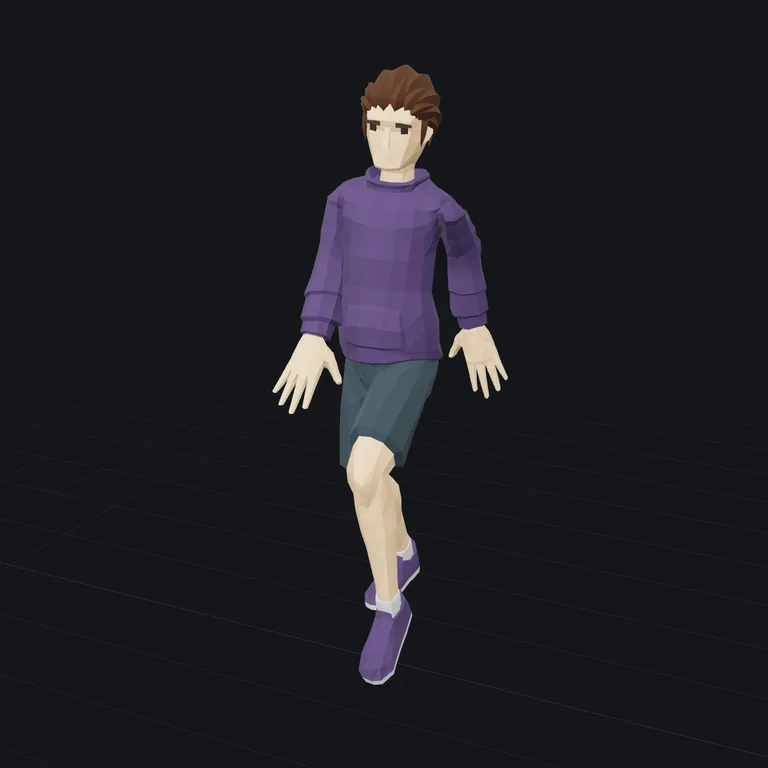
Make-It-Animatablefree · about 15 seconds 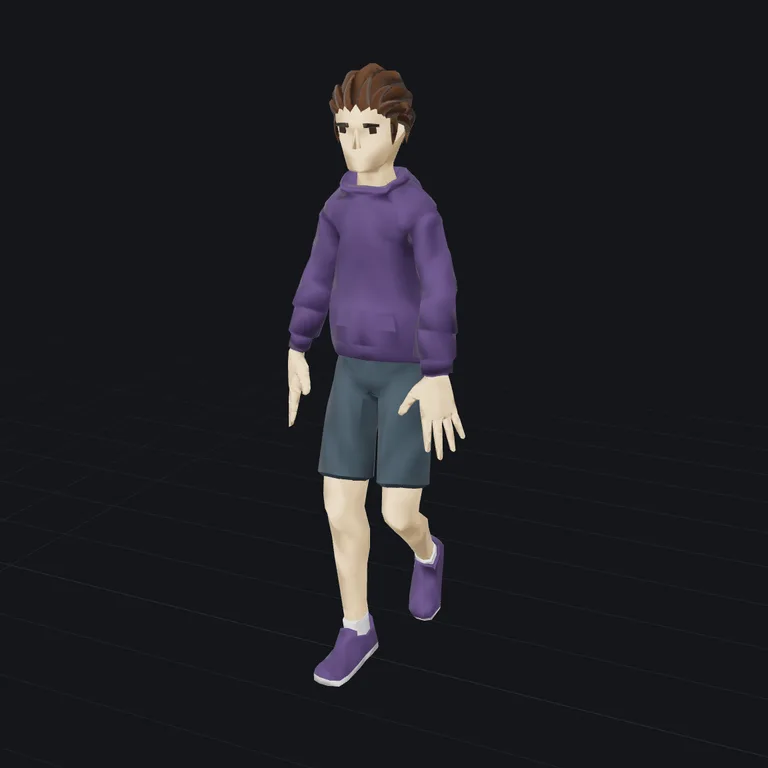
Meshy35 credits · about 2 minutes 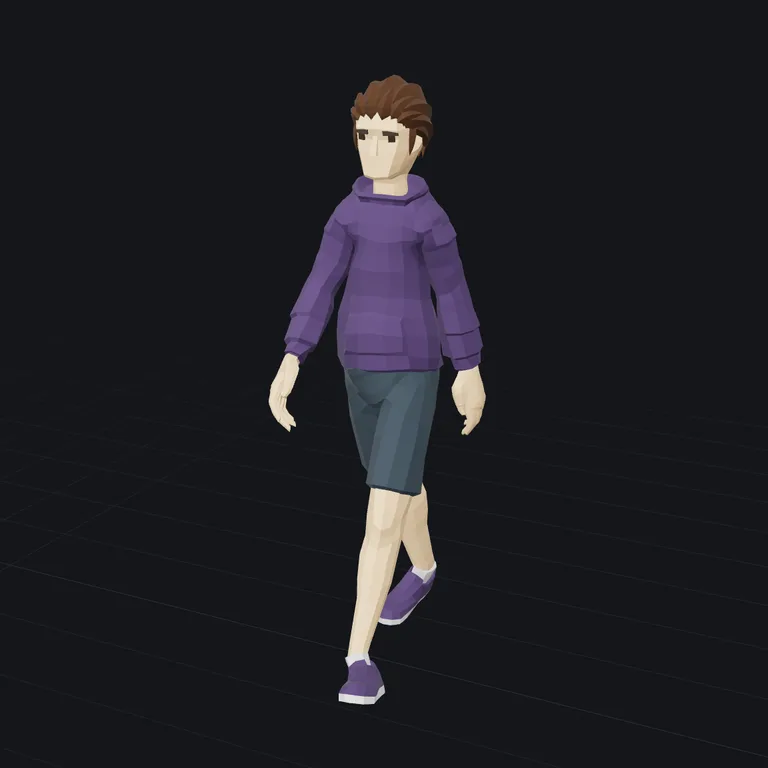
Tripo45 credits · under a minute
Character with a backpack
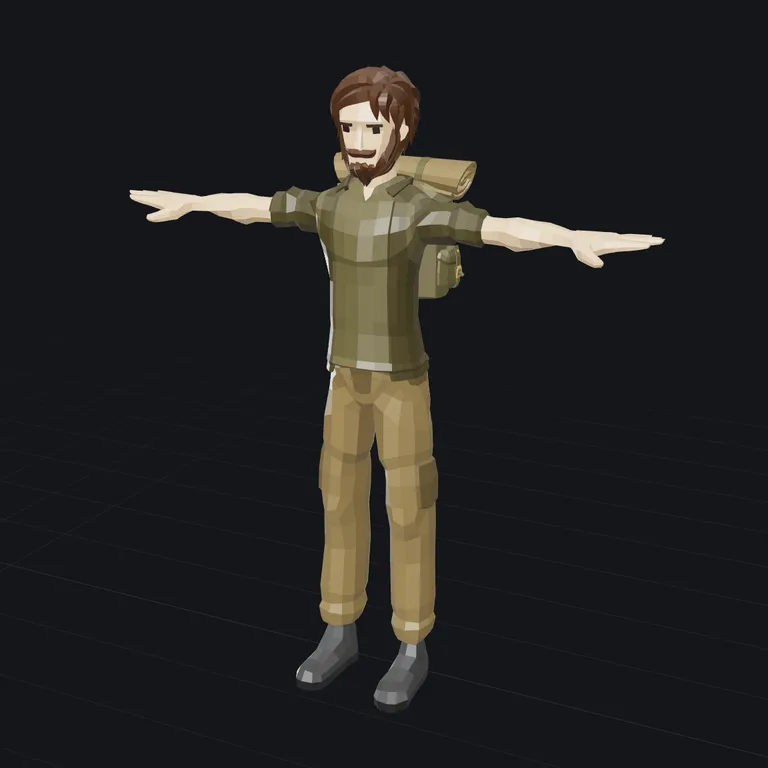
The model 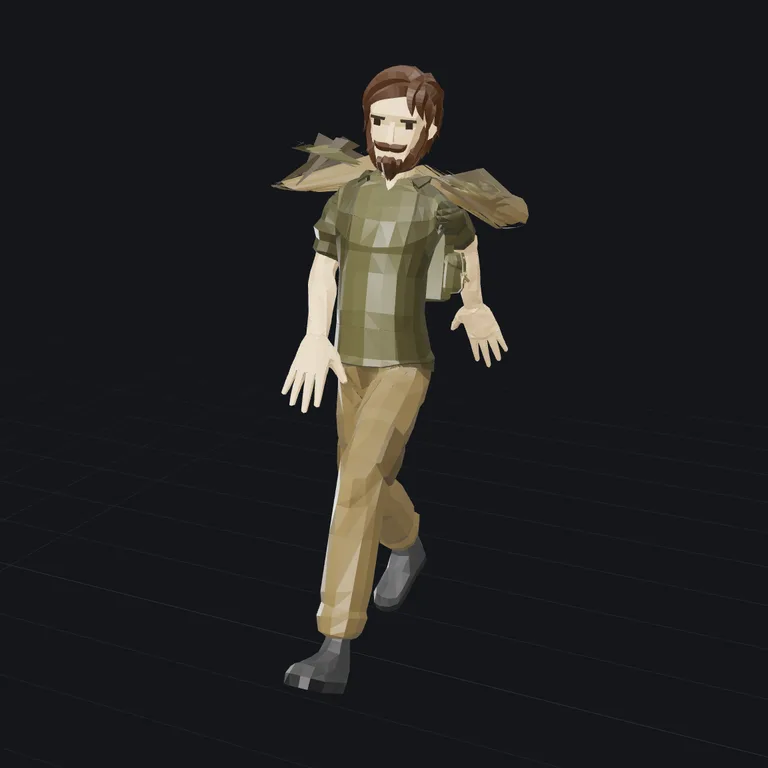
Make-It-Animatablefree · about 15 seconds 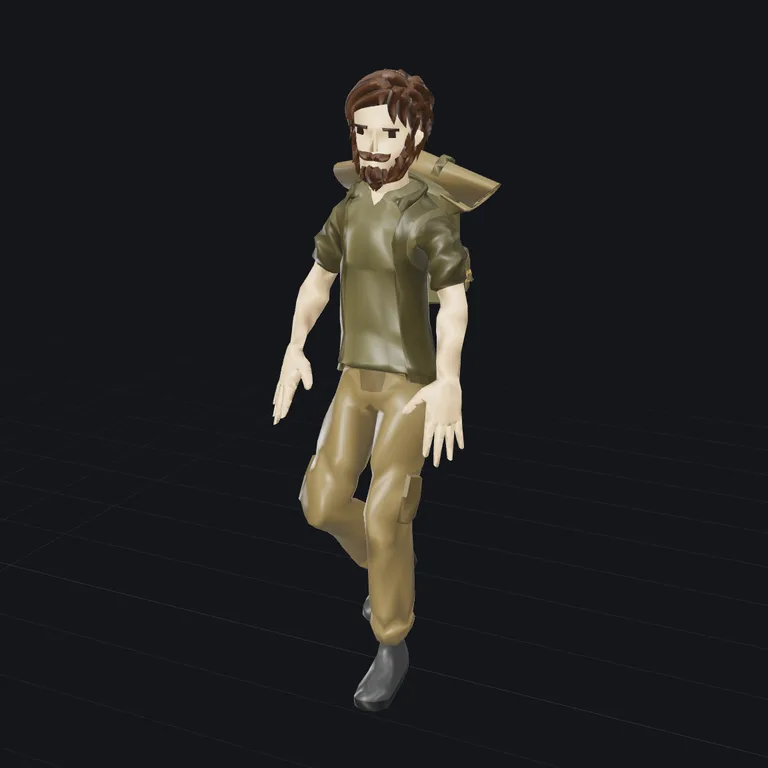
Meshy35 credits · about 2 minutes 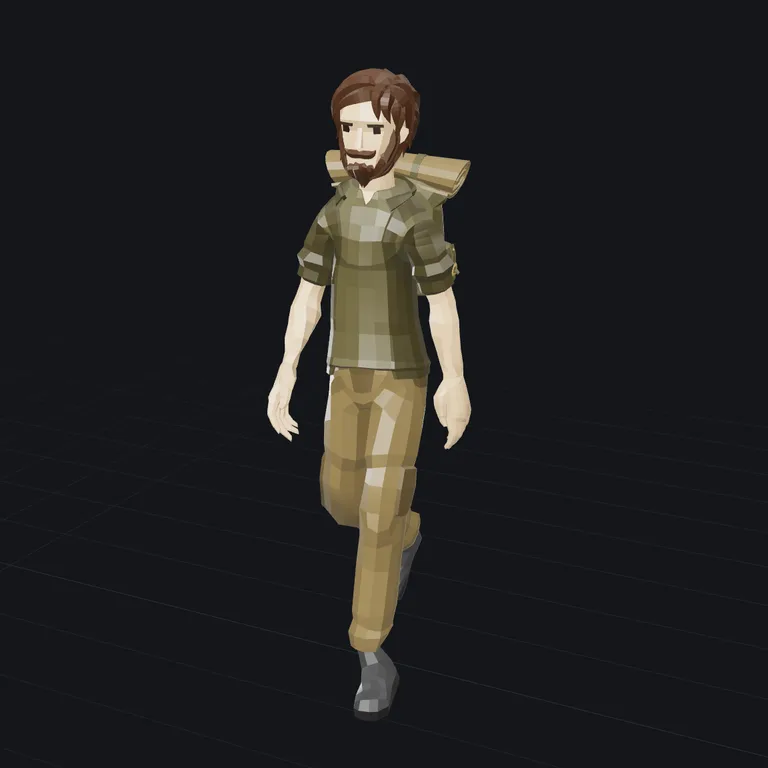
Tripo45 credits · under a minute
Questions
- What does auto rigging do?
- It gives a model a skeleton and binds the surface to it: every vertex learns which bones move it and by how much (its skin weights). Rigging by hand means placing each joint and painting the weights; here a model that has seen a great many rigged characters places the joints and paints the weights for you, in a couple of minutes.
- Which models can it rig?
- Humanoid characters: two arms, two legs, standing upright, from realistic people to cartoon heroes and robots. Every model does best on one closed character standing in a T-pose or an A-pose, with the arms clear of the body. Loose gear such as a backpack or a cape may move with the arms. Animals are not offered yet: the rigs we tried on them did not walk well enough.
- Can I add animations?
- Yes. A model Tripo rigged can take up to five of Tripo's preset animations in one run, all in one GLB: idle, walk, run, jump, turn, climb, slash, shoot and more. Meshy's rig comes with a walk and a run of its own. The free model's rig has Mixamo's bone names, so any Mixamo animation plays on it.
- Will it work with Mixamo, Unity or Unreal?
- Pick the bone names when you rig a humanoid with Tripo: Mixamo, Unity, Unreal or VRM. The skeleton then carries the names that engine's own retargeting expects, so its animations play on your character. The GLB opens in Blender, Unity, Unreal and Godot as it is.
- Should I remesh first?
- If the model came out of an AI generator or a scan, often yes: a clean, lighter mesh deforms more evenly and rigs faster. Remesh or reduce it before rigging, not after, because remeshing a rigged model throws its skin weights away.
- What does it cost?
- Make-It-Animatable rigs for free, on a daily allowance of free GPU time, with no account. A rig is 45 credits with Tripo or 35 with Meshy, and Tripo's animations are 17 credits each. One credit is one cent, from $15, with no subscription. A run that fails gives its credits back.
- What happens to my file?
- With Make-It-Animatable it is rigged on our free GPU and not kept, so download the result straight away. With Tripo or Meshy it is sent to that model for the run, and the rigged result is kept in your account so you can download it again; the file you dropped is not kept.
- Do I need an account or to sign up?
- No. No sign-up, login or email is required: open the page and use it. The AI runs on a free daily allowance per visitor, and when it is used up the page says when it comes back; the tools that run in your browser keep working in the meantime.
Next
- ViewerOpen any 3D file, turn it around, and see its size, volume and polygon count.STL · OBJ · PLY · GLB · glTF
- CompressA smaller file, same model: for the web, a game or an email.STL · OBJ · PLY · GLB · glTF
- RetextureGive a model you already have new colours and materials, from a picture or a description. The shape stays.a 3D model + an image or text
- ConvertConvert between STL, OBJ, PLY and GLB, with the units fixed so the size comes out right in your slicer.STL · OBJ · PLY · GLB · glTF