Non-manifold geometry and watertight, explained
Non-manifold geometry, watertight and manifold: every slicer error uses the words and none explains them. Three pictures, and what repair does about each.
20 September 2026 · updated 29 September 2026 · 3 min read
A slicer turns a mesh into layers by asking, for every point in space, "is this inside the object?" That question only has an answer if the mesh is a closed skin with a clear inside and outside. The three words in the title describe the ways a mesh can fail that test.
Watertight
Every edge has two faces. Inside is inside.
A hole
An edge with one face. The slicer cannot tell inside from outside.
Non-manifold
An edge with three faces: a fin. Which side is out?
Watertight
Every edge of every triangle is shared with exactly one other triangle. Imagine filling the mesh with water: none leaks out. A watertight mesh has an inside, so the slicer can fill it.
A mesh stops being watertight when triangles are missing, a hole, which happens when a scan misses a spot, an export drops faces, or a boolean operation leaves a gap. Some holes are one triangle wide; some are the whole bottom of a model that was never meant to be printed.
Manifold
The stricter condition. Every edge has exactly two faces, not one (a hole) and not three (a fin), and every vertex is surrounded by a single continuous fan of faces, not two cones touching at a point. A manifold mesh is the skin of a solid; a non-manifold one has places where "inside" is not defined.
The commonest non-manifold shapes:
- A fin: an internal wall with faces on both sides of one edge, usually left behind by a boolean union that did not quite union.
- Two pieces touching at an edge or a point: a chair whose legs meet the seat along a line, not a surface.
- Duplicate faces: the same triangle twice, so the edge has four faces.
Slicers cope with some non-manifold input and refuse the rest; the error message rarely says which.
What repair does
Repair on this site runs a fixed sequence in your browser, in the order the problems stack up. You can watch it tick through them.
- Merge duplicate vertices that sit on the same point. STL stores every triangle separately, so every corner appears three or more times and no edge is "shared" until they are merged. Nothing can be reasoned about before this.
- Remove zero-area triangles, the ones with all three corners on a line or a point, which make every later check lie.
- Fix face directions, so every normal points out. A mesh with a few flipped faces slices with random holes in the layers.
- Remove loose pieces: shards far smaller than the main body, typical of a scan or a failed boolean. Under 2% of the biggest piece's size by default; you can keep them all, or keep only the largest.
- Close holes by finding each open loop of edges and patching it. The patch is triangulated, refined to the density of the surface around it, and then faired: smoothed so it continues the curvature of its rim. A hole in a sphere gets a dome, not a lid. By default holes up to half the model's size are closed and larger ones are reported, because a guess there would be a lie you cannot see.
- Measure again and show the before and after side by side.
- Make it solid, if needed. When the model is still several shells pushed into each other, the patched skin is closed but the inside is not defined. The tool joins the shells exactly, as a boolean union would; where the geometry is too tangled for that, it rebuilds one sealed skin from a fine grid, which softens detail finer than a grid cell.
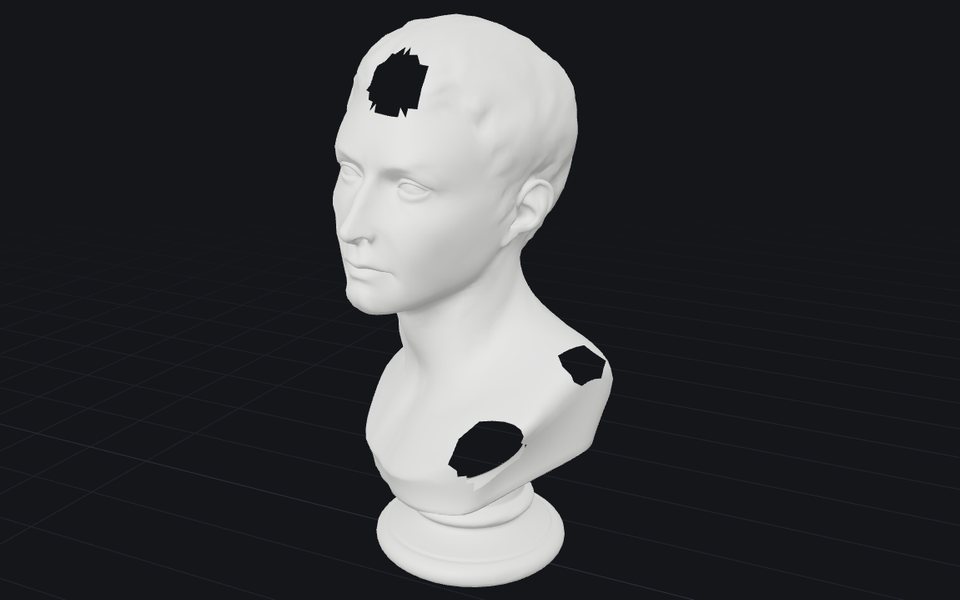
Three holes
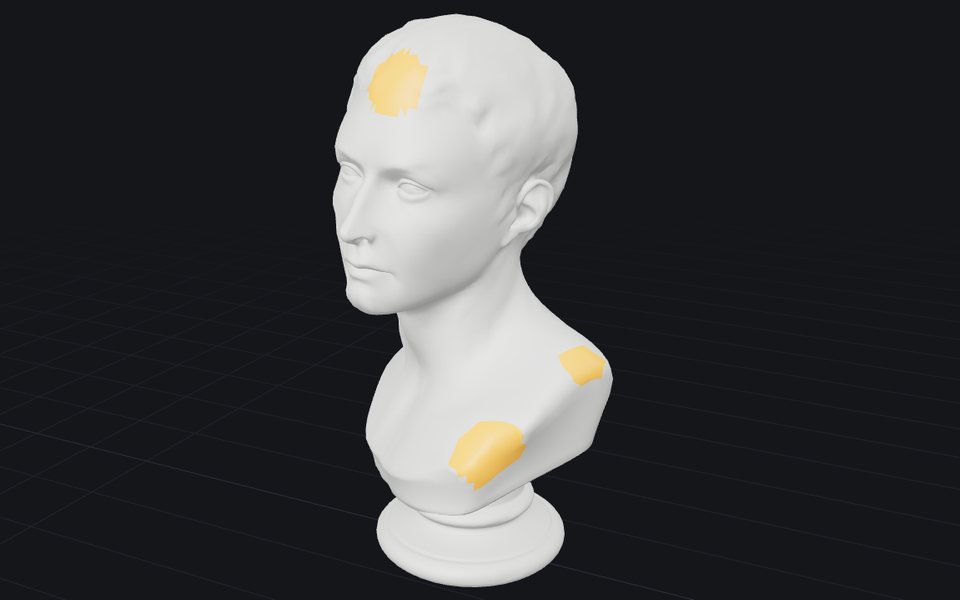
Three faired patches
The Changes view shows the result of step five in amber: each patch picks up the curve of the head and shoulder around it, which a flat fan of triangles would not.
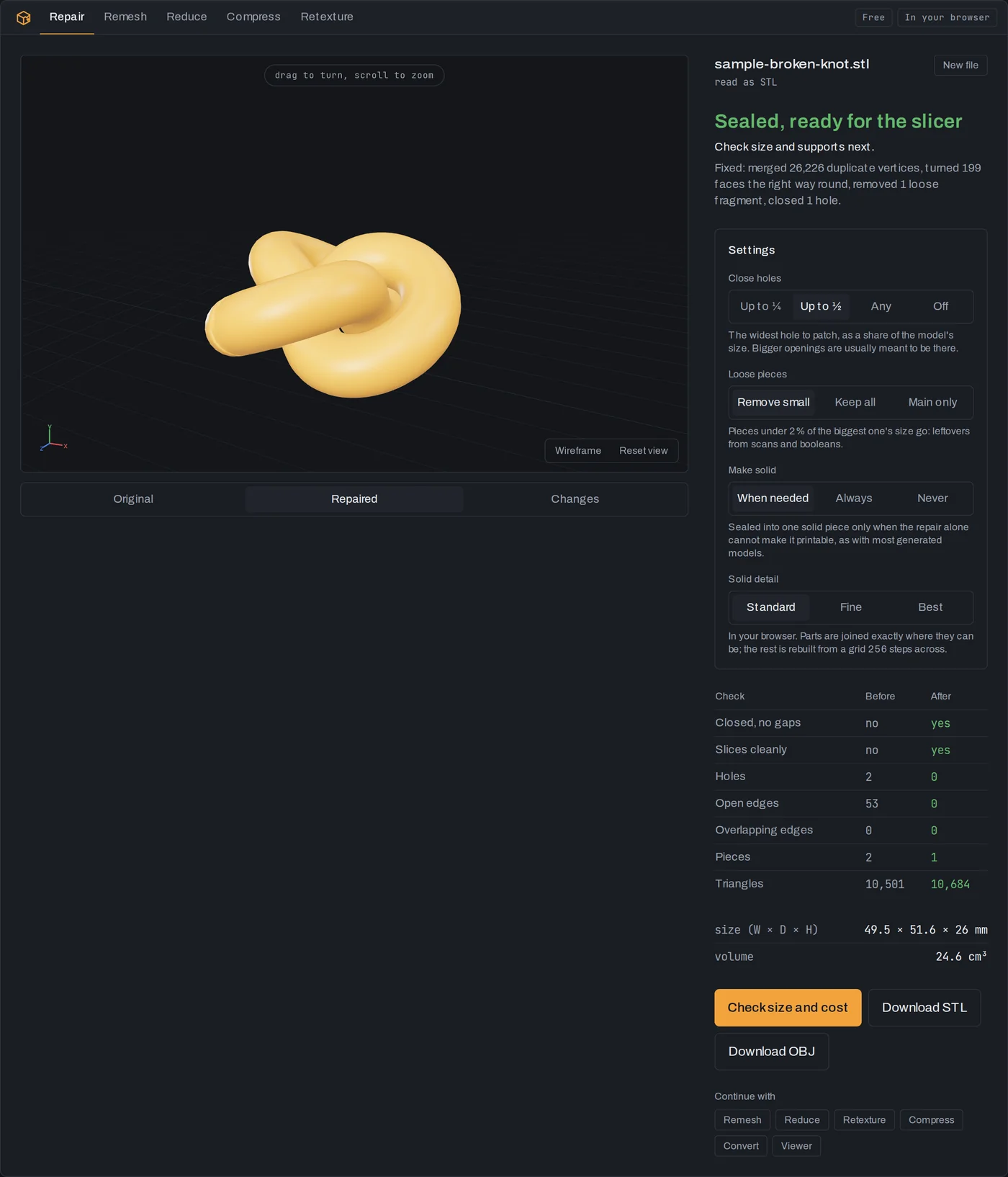
The words on a report
- Closed, no gaps: watertight. No open edges.
- Slices cleanly: manifold as well, so a slicer has one clear inside.
- Holes and open edges: the loops of edges with one face, and the edges in them. Zero means watertight.
- Overlapping edges: edges with three or more faces. Zero, with no open edges, means manifold.
- Pieces (shells): separate closed surfaces in one file. More than one is fine if intentional, such as a base and a figure, and a warning if not.
If the first two read yes and the counts are zero after repair, the file will slice. Whether it will print is a different question, about overhangs, bed contact and wall thickness, and the print cost calculator answers that one.
More from the blog
29 September 2026 · 4 min
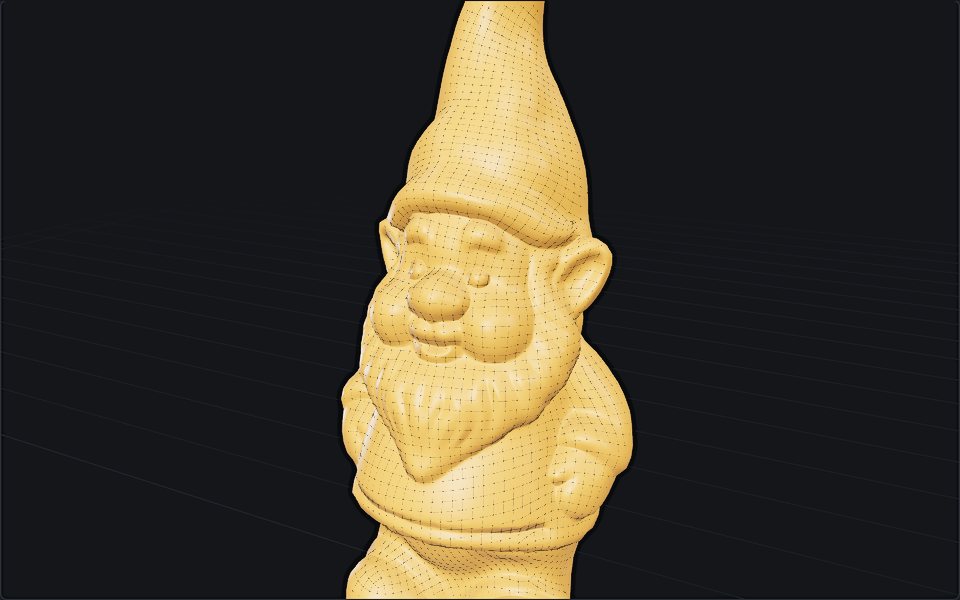
What is retopology, and when automatic is enough
Retopology rebuilds a messy mesh as clean, even quads. Why models need it, manual versus automatic, the tools in Blender and beyond, and where they fail.
29 September 2026 · 5 min
What is a normal map, and why is it purple?
A normal map fakes bumps without adding polygons. How its colours encode direction, OpenGL versus DirectX, normal versus bump, and how to make one.
24 September 2026 · 4 min
How image to 3D works, and why the back is a guess
One photo in, a textured mesh out in about half a minute. What happens in between, what the model cannot know, and the photo that gives it a chance.